

Confirming an order change through chat seems like a simple task, but genuine clarity in this exact moment prevents a meaningful share of anxious follow-up messages asking whether the change actually went through.
Quick answer: Effective order-change confirmation scripts restate exactly what's changing in plain, specific terms and provide a clear timeframe for when the customer will see it reflected, since ambiguity about whether a change genuinely went through is one of the most common sources of follow-up anxiety and repeat contact.
Effective confirmation scripts restate the specific change in plain terms and set a clear expectation for when the customer will see it reflected, removing the ambiguity that otherwise drives unnecessary repeat contact.
This guide provides adaptable scripts for confirming common order change types clearly, along with the reasoning behind why specificity matters so much in this particular moment.
This guide covers address and item change confirmation scripts, setting clear expectations, common mistakes, adapting to your order system, and how ChatDrill supports clear order-change confirmations.
Address and Item Change Confirmation Scripts
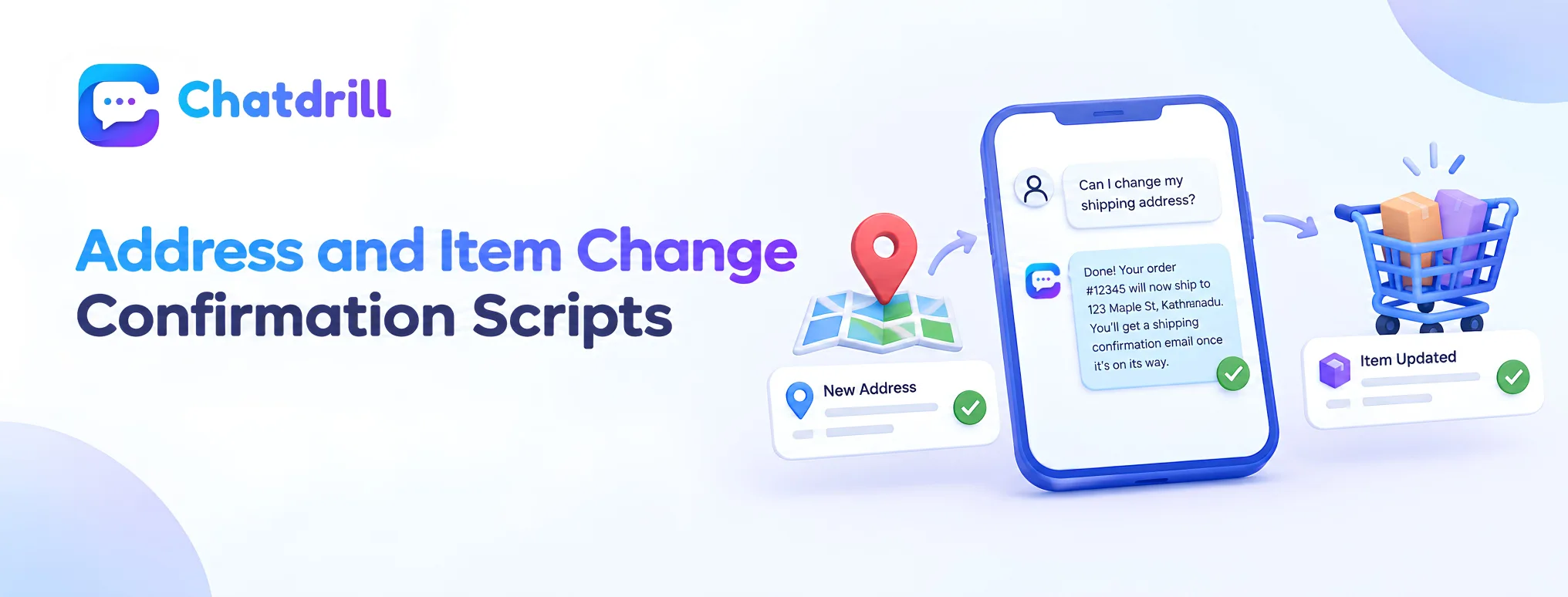
Confirmation scripts should restate the exact specific change being made, using the customer's own actual order details rather than a generic acknowledgment.
Confirming an address change specifically
"Done! Your order [#12345] will now ship to [new full address]. You'll get a shipping confirmation email once it's on its way." restates the exact new address and sets a clear expectation for the next confirmation the customer will receive.
This specificity, the exact order number and full new address, gives the customer concrete confirmation to reference rather than a vague "we've updated it" that leaves room for lingering doubt.
Confirming an item or quantity change
"Got it, I've updated order [#12345] to reflect [specific new item or quantity], your new total is [$amount]. Everything else on the order stays the same." clarifies exactly what changed and confirms what didn't, addressing both directly.
Explicitly confirming what stayed the same, not just what changed, prevents a separate, common source of confusion about whether unrelated parts of the order were also affected.
Setting Clear Expectations for What Happens Next

Beyond confirming the change itself, telling the customer exactly what to expect next, and by when, closes the loop on any remaining uncertainty.
Providing a specific timeframe
"You should see this reflected in your order confirmation email within the next 10 minutes, if it doesn't show up by then, just reach back out and I'll double check." gives a concrete timeframe and a clear next step if something doesn't go as expected.
This specific timeframe, rather than a vague "soon" or "shortly," gives the customer a genuine, checkable expectation, directly reducing the anxiety-driven follow-up this guide identifies as a common problem.
Proactively addressing a likely follow-up question
"Since the shipping method changed too, your new estimated delivery date is [date]."
anticipates and answers the natural next question a customer would have after this specific type of change, without requiring them to ask separately.
This proactive anticipation of the genuinely next logical question reduces the total number of messages needed to fully resolve the customer's actual underlying concern.
Common Order Change Confirmation Mistakes
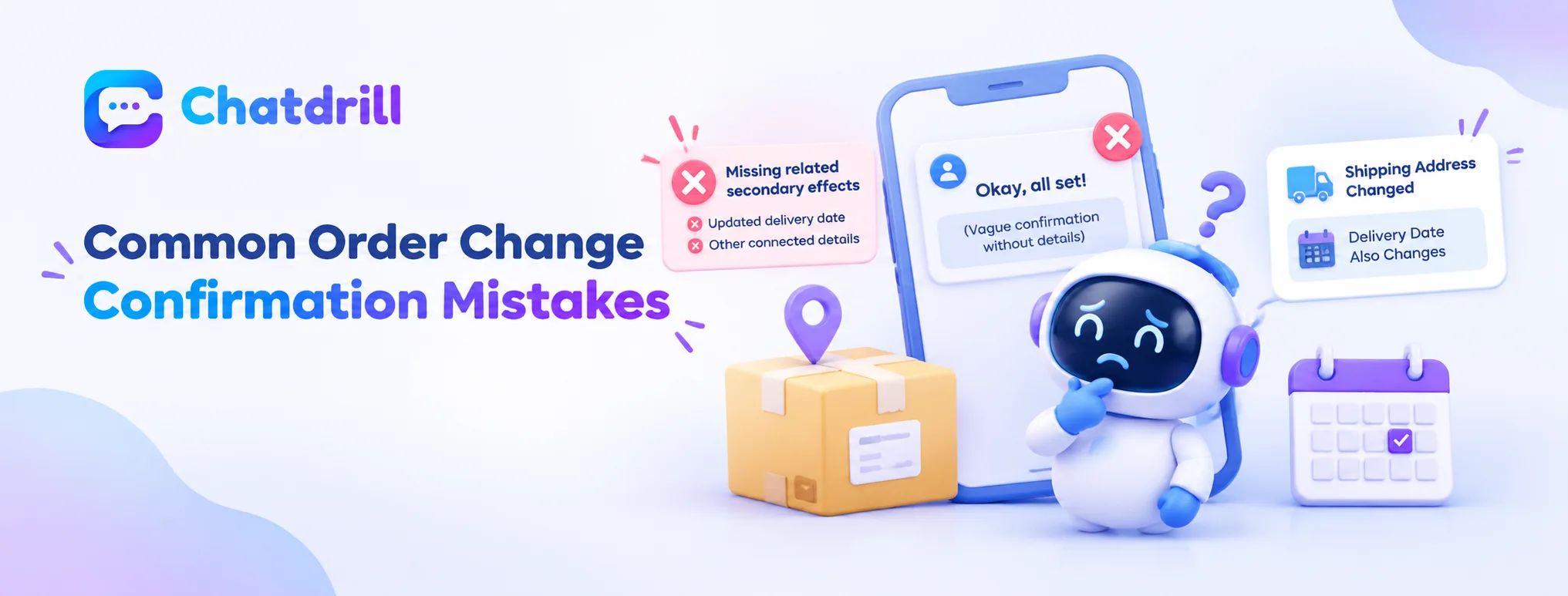
Vague, generic confirmation language and failing to mention related, secondary effects of a change are the most common order-change confirmation mistakes.
Vague, generic confirmation language
A response like "okay, all set!" without restating the specific change leaves the customer without a concrete, checkable confirmation of exactly what happened, directly inviting the follow-up anxiety this guide identifies as a common problem.
Restating the specific detail, as this guide's scripts demonstrate, is a small effort that meaningfully reduces this common, avoidable source of repeat contact.
Missing related secondary effects of a change
Confirming a shipping address change without mentioning that this also affects the estimated delivery date, for instance, leaves a genuinely relevant detail unaddressed that the customer will likely need to ask about separately.
Proactively addressing these connected, secondary effects, as covered in the expectation-setting scripts above, produces a more genuinely complete, satisfying confirmation.
Adapting These Scripts to Your Order System
Customizing the specific confirmation language and timeframes in these scripts to match your actual order processing system produces genuinely accurate conversations.
Reflecting your actual processing timeframes
Ensuring the specific timeframes referenced in your confirmation scripts match your actual order system's genuine processing speed prevents setting an expectation your system can't actually meet.
This accuracy matters directly, since a confirmed timeframe that turns out to be wrong creates exactly the kind of follow-up anxiety and repeat contact this guide's scripts are specifically designed to prevent.
Identifying your own common secondary effects
Reviewing your own order system's specific connected effects, which changes affect delivery date, which affect payment processing, equips your team to proactively address these secondary effects consistently, as this guide recommends.
This system-specific knowledge turns the general proactive-anticipation principle into something genuinely accurate and useful for your specific business.