The first chat interaction during a SaaS trial often determines whether a genuinely interested prospect becomes a paying customer or quietly abandons the trial within the first few days.
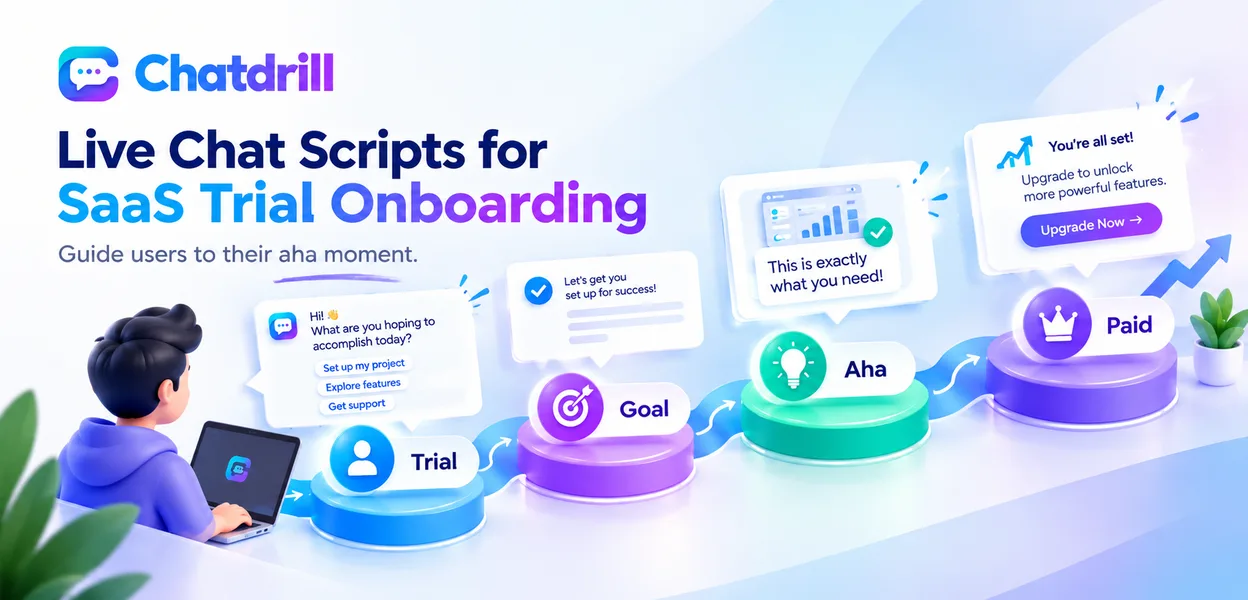
Quick answer: Effective SaaS trial onboarding chat scripts focus on quickly understanding what the trial user is trying to accomplish, then guiding them to that specific outcome within the first session, rather than walking through every feature regardless of relevance, since trial users who reach a genuine "aha moment" early are considerably more likely to convert to paid.
Well-designed onboarding scripts focus specifically on helping a trial user reach their own genuine goal quickly, rather than delivering a generic product tour that may not address what actually brought them to sign up.
This guide provides specific, adaptable scripts for the most common trial onboarding moments, along with the principles behind why they work, so you can tailor them to your own product.
This guide covers welcome and goal-discovery scripts, feature-guidance scripts, common mistakes, adapting scripts to your product, and how ChatDrill supports strong trial onboarding conversations.
Welcome and Goal-Discovery Scripts
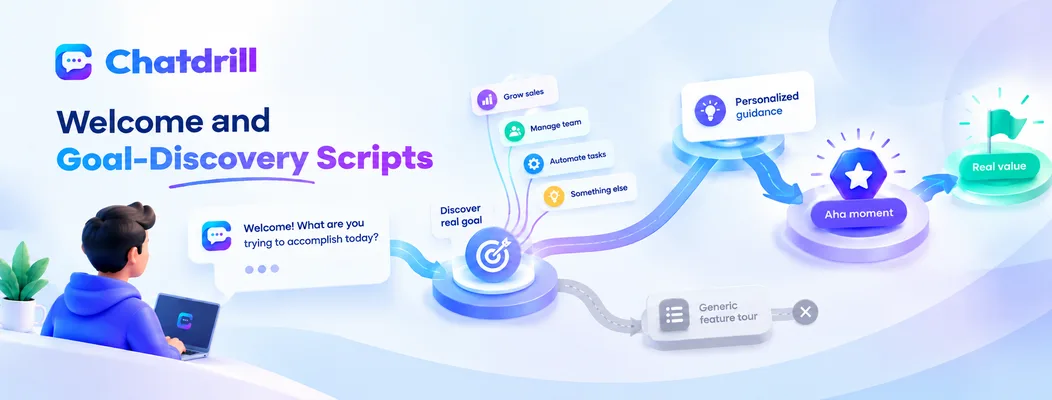
The opening moments of a trial chat should quickly uncover what the user is actually trying to accomplish, rather than assuming a generic starting point.
The initial welcome and goal question
"Welcome! What brought you to try [Product] today, and is there something specific you're hoping to get done this week?" opens by inviting the user to share their genuine goal rather than launching into a scripted tour.
This question works because it respects that trial users arrive with genuinely different goals, and understanding the specific one in front of you shapes everything useful you can offer next.
Following up on a vague initial answer
"Got it, just exploring for now. Is there a particular problem you're hoping [Product] solves, or a workflow you'd like to see in action?" gently narrows a vague response into something actionable without feeling pushy.
This follow-up respects a user who isn't ready to commit to a specific goal yet, while still creating an opening to guide them toward a genuinely useful first experience.
Guiding Toward the First Genuine Value Moment
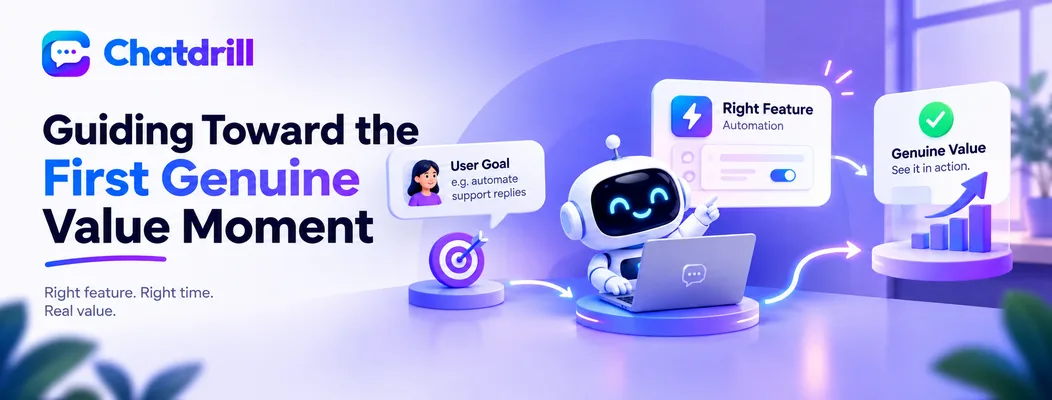
Once a goal is identified, the script should guide the user directly to the specific feature or workflow that delivers value fastest, rather than a comprehensive tour.
Directing to the relevant feature quickly
"Since you mentioned [specific goal], the fastest way to see that in action is [specific feature/page]. Want me to walk you through it, or would you rather try it yourself first?" gets the user to genuine value quickly while respecting their preferred learning style.
Offering the choice between guided walkthrough and self-directed exploration respects that trial users vary considerably in how they prefer to learn a new tool.
Checking in after the guided step
"How did that feel, does this match what you were hoping to accomplish?" after a guided walkthrough confirms the user actually reached their genuine goal, rather than assuming the walkthrough alone succeeded.
This check-in also opens a natural opportunity to identify the next logical step in their trial journey based on their genuine response.
Common Onboarding Chat Mistakes
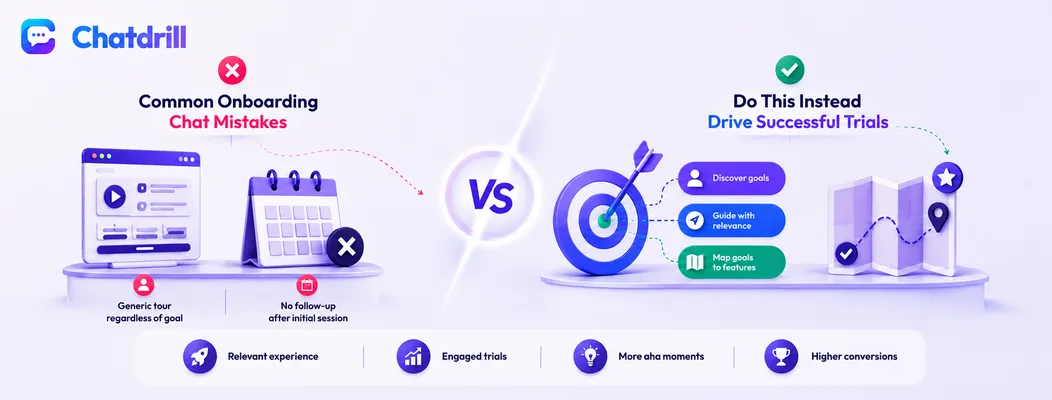
Delivering a generic feature tour regardless of the user's stated goal, and failing to follow up after the initial conversation, are the most common onboarding chat mistakes.
The generic tour regardless of goal
Launching into a standard feature walkthrough without first asking what the user is trying to accomplish wastes the trial's most valuable early moments on content that may not be relevant to their genuine need.
This mistake is precisely why the goal-discovery script covered earlier deserves priority over any pre-planned, generic onboarding sequence.
No follow-up after the initial session
Ending the conversation without any plan for checking back in, especially if the user seemed uncertain or didn't reach a clear "aha moment," misses a genuine opportunity to keep a promising trial from quietly going cold.
A simple mention like "I'll check back in a couple of days to see how it's going" sets an expectation for continued support that a purely one-time interaction doesn't provide.
Adapting These Scripts to Your Own Product
Customizing the specific feature references and goal categories in these scripts to your own product's actual common use cases produces genuinely relevant, natural-sounding conversations.
Mapping your own common trial goals
Reviewing your own trial signup data or common support questions reveals the handful of goal categories most trial users actually arrive with, letting you tailor the goal-discovery script's follow-up options to reflect your genuine user base.
This mapping exercise turns a generic script template into something that feels specifically built for your actual product and users.
Building a feature-to-goal reference guide
Creating a simple internal reference connecting each common trial goal to the specific feature or page that delivers it fastest equips whoever handles chat, human or AI, to guide a user efficiently regardless of which goal they mention.
This reference guide becomes increasingly valuable as your product grows and the mapping between goals and features becomes less immediately obvious to a new team member.