A full chat transcript is useful context, but almost nobody downstream, a sales rep prepping for a follow-up call, a manager reviewing a support trend, actually wants to read the whole thing when a well-written summary would tell them what they need in a fraction of the time.
Auto-summarization solves this by having AI condense a chat conversation into a short, structured summary the moment it ends, then pushing that summary directly into the CRM record tied to that customer, rather than leaving a raw transcript for someone to parse manually later.
Done well, this doesn't just save reading time, it makes information genuinely more usable, a sales rep can scan a summary before a call in seconds, and a support trend becomes visible across many summarized conversations in a way it wouldn't be buried in full transcripts.
This guide covers why summarization matters, how it works technically, a practical setup approach, and mistakes worth avoiding.
Why Transcript Summarization Matters
Auto-summarization saves genuine reading time for anyone reviewing a conversation later and makes chat data meaningfully more usable across a CRM, turning raw transcripts into scannable, actionable records.
The reading-time problem with raw transcripts
A raw transcript requires reading through greetings, clarifying questions, and back-and-forth exchanges just to extract the handful of facts that actually matter for a follow-up.
A well-written summary surfaces exactly those facts upfront, saving meaningful time for anyone who needs to quickly understand what happened in a conversation.
Why this matters more as chat volume grows
As a business's chat volume grows, the cumulative time cost of manually reading transcripts grows with it, making automated summarization increasingly valuable rather than optional.
This is especially true for sales and account teams who need to quickly get up to speed on a customer's chat history before a call, without reading through weeks of conversation history manually.
How Transcript Summarization Works
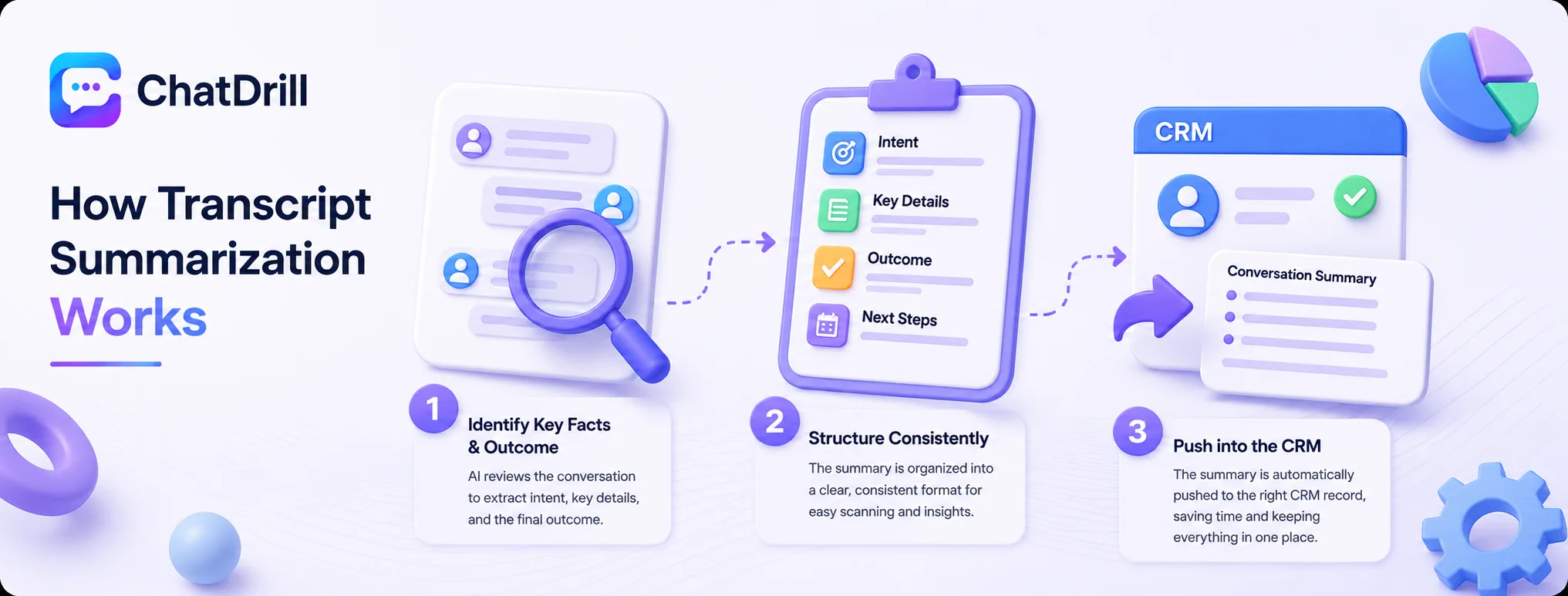
Summarization uses AI to identify the key facts, intent, and outcome of a conversation once it ends, structures that into a consistent format, and pushes it directly into the relevant CRM record via an integration.
Identifying key facts and outcome
The AI reviews the full conversation and extracts what the customer actually wanted, what was resolved or left open, and any specific details worth remembering, like a product mentioned or a date discussed.
This extraction works best when trained on what your specific team considers important, rather than a generic summary template that might miss details that matter to your context.
Structuring the summary consistently
A consistent structure, intent, key details, outcome, and any follow-up needed, makes summaries scannable at a glance rather than requiring a full read each time.
This consistency also makes summaries easier to review in bulk, useful for spotting patterns across many conversations rather than just reading one at a time.
Pushing the summary into the CRM
Once generated, the summary needs to land on the correct customer or lead record automatically, through an integration that matches the conversation to existing CRM data.
This automatic connection is what actually delivers the time-saving value, a summary that still requires manual copying into the CRM defeats much of the purpose.
Setup Playbook for Transcript Summarization
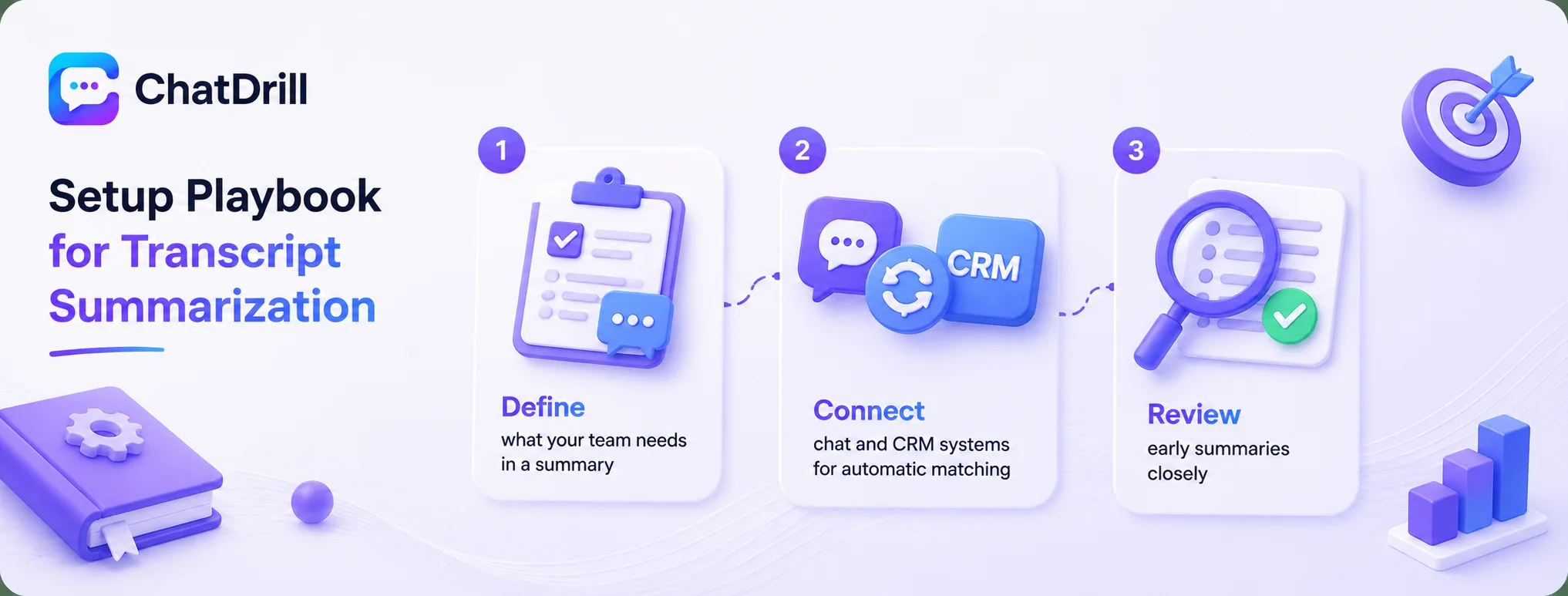
A strong setup defines what your team actually needs in a summary, connects chat and CRM systems for automatic record matching, and reviews early summaries closely before relying on them at scale.
Step 1: Define what your team needs in a summary
Talking directly to whoever will use these summaries, sales reps, account managers, support leads, about what details matter most to them shapes a genuinely useful summary format rather than a generic one.
This upfront definition prevents building a summarization feature that technically works but doesn't actually surface the information people need.
Step 2: Connect chat and CRM systems
Integrating your chat platform with your CRM so summaries land automatically on the correct record removes the manual step that would otherwise undermine the whole point of automating this.
This connection needs to reliably match a conversation to the right customer or lead record, worth testing directly with real customer scenarios before relying on it at scale.
Step 3: Review early summaries closely
Checking a sample of AI-generated summaries against the actual full transcripts during initial rollout confirms the AI is capturing what genuinely matters, not just technically summarizing.
This review is worth continuing periodically even after initial confidence is established, since summary quality can drift as conversation patterns evolve.
Common Mistakes With Transcript Summarization
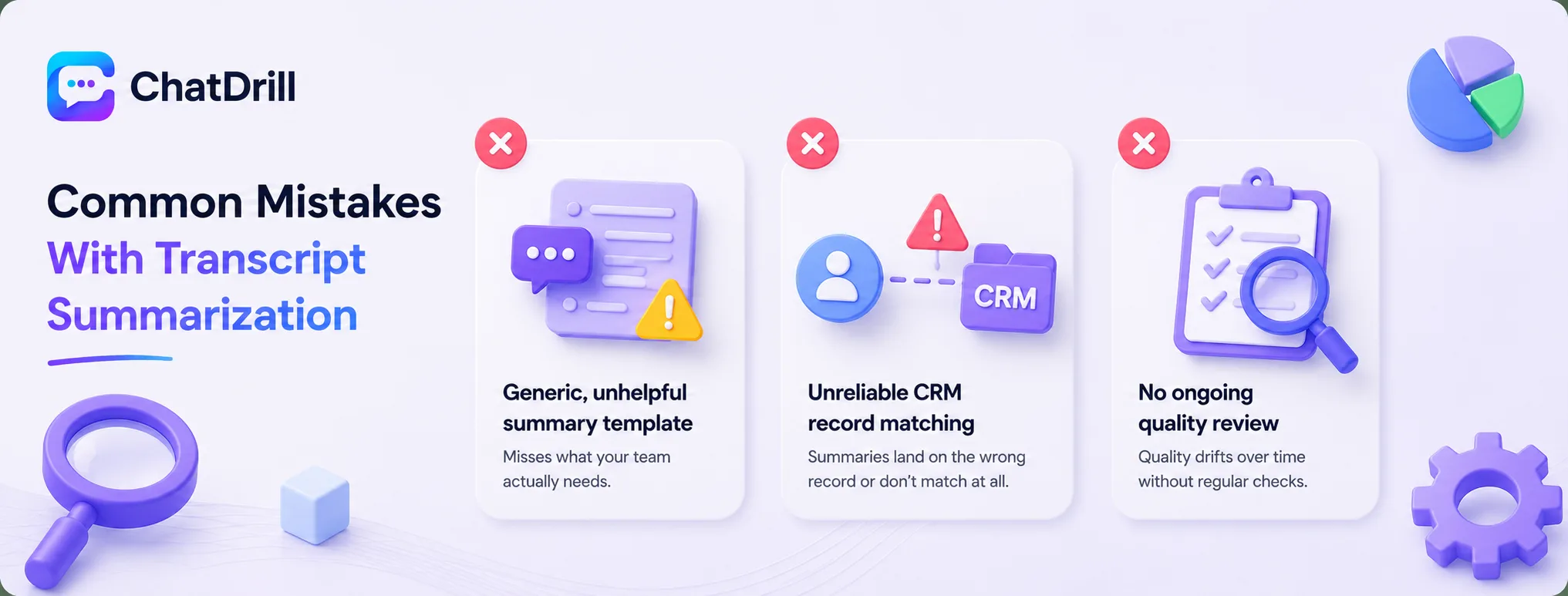
The most common mistakes are using a generic summary template that misses what your team actually needs, having no reliable CRM matching so summaries land on the wrong record, and never reviewing summary quality after initial setup.
A generic, unhelpful summary template
A summary that captures generic conversation flow without the specific details your team actually needs, product mentioned, objection raised, next step promised, doesn't save the reading time it's meant to.
Defining your summary format based on real team needs, rather than a default template, is what makes this feature genuinely valuable rather than a checkbox feature.
Unreliable CRM record matching
A summarization system that occasionally attaches a summary to the wrong customer record, or fails to match one at all, creates confusion and undermines trust in the whole feature.
Testing this matching logic directly with a range of real scenarios, including customers with common names or multiple accounts, catches this before it causes a genuine mix-up.
No ongoing quality review
Setting up summarization once and never checking whether the quality holds up as conversation patterns change risks a slow drift toward less useful, less accurate summaries over time.
A periodic spot-check against real transcripts keeps the summarization quality genuinely reliable rather than assuming it stays consistent indefinitely.
Measuring Success for Transcript Summarization
Track how much time reviewers report saving compared to reading full transcripts, summary accuracy against real conversations, and CRM record-matching reliability.
Time saved for downstream reviewers
Asking sales reps or account managers directly whether summaries are genuinely saving them time compared to reading full transcripts gives a practical, if qualitative, measure of value.
This feedback is worth gathering early and periodically, since it's the most direct signal of whether the feature is delivering its intended benefit.
Summary accuracy against real transcripts
Periodically checking a sample of summaries against their source transcripts confirms whether AI is genuinely capturing what matters, not just producing plausible-sounding but inaccurate text.
A ChatDrill setup with summarization built in, for a team using it, makes this comparison straightforward to review directly within the existing conversation history.
CRM matching reliability
Tracking how often a summary successfully attaches to the correct customer record, versus requiring manual correction, reveals whether the integration is genuinely working as intended.
A high manual-correction rate here is worth investigating directly, since it undermines the automation value the whole feature is meant to provide.