A chatbot flow template is a pre-designed conversation structure for a common scenario, greeting, lead qualification, FAQ handling, that a business can adapt to its own specific content and tone rather than designing every conversation flow entirely from scratch.
Starting from proven templates meaningfully speeds up chatbot deployment, letting a business focus its effort on adapting content to its specific business rather than solving conversation design problems that countless other businesses have already worked through.
These templates aren't meant to be used rigidly unedited, they're starting frameworks, the real value comes from adapting the underlying structure to your specific tone, product, and customer questions.
Understanding both the templates themselves and how to adapt them well helps a business move quickly while still ending up with a chatbot that genuinely feels specific to their business rather than generic.
This guide covers why templates are a smart starting point, ten specific flow templates covering common scenarios, how to adapt them to your business, common mistakes when using templates, and how ChatDrill makes building these flows straightforward.
Why Templates Are a Good Starting Point
Starting from proven templates saves significant design time, reflects patterns already validated across many businesses, and lets a team focus its effort on adapting content rather than solving conversation structure problems from scratch.
Saving genuine design time
Designing an effective conversation flow from a completely blank slate takes real time and iteration, a proven template shortcuts much of that initial design work.
This time savings lets a business move from concept to a working, deployed chatbot flow considerably faster than starting entirely from first principles.
Reflecting validated patterns
A template reflecting patterns that have worked well across many businesses carries genuine value beyond just convenience, it's grounded in what's already been shown to work reasonably well in practice.
This validation doesn't guarantee perfect fit for your specific business, but it provides a considerably stronger starting point than an untested, purely original design.
Freeing effort for genuine customization
With the structural framework already handled, a team can focus its energy on the part that genuinely needs to be specific to their business, the actual content, tone, and product-specific detail.
This division of effort, structure from template, content from your business, tends to produce a better final result than spreading limited effort across both simultaneously from scratch.
The 10 Flow Templates
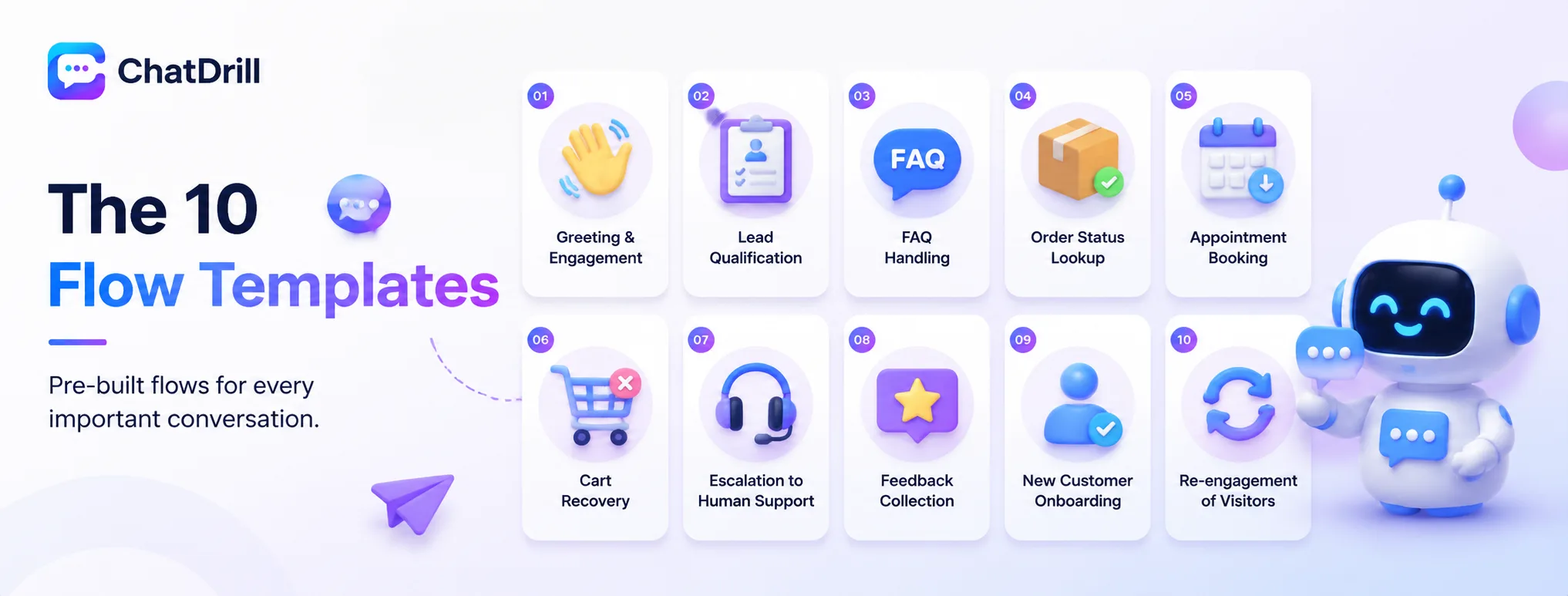
The ten most broadly useful templates cover greeting and initial engagement, lead qualification, FAQ handling, order status lookup, appointment booking, cart recovery, escalation to human support, feedback collection, new customer onboarding, and re-engagement of returning visitors.
Greeting and initial engagement
This template opens a conversation naturally, referencing the visitor's current page or context, then offers a simple choice of common next steps rather than an open-ended, unguided prompt.
Adapting this template means customizing the greeting tone to match your brand voice and adjusting the offered next steps to reflect your business's actual common visitor needs.
Lead qualification
This template asks two to three focused questions about company size, use case, and timeline, scoring responses to determine whether the conversation should route to sales.
This is covered in more depth in a related guide on AI lead qualification, worth reviewing alongside this template for the full qualification flow design process.
FAQ handling
This template interprets a visitor's question, retrieves the relevant trained answer, and offers a natural follow-up prompt checking if the response fully addressed their need.
Adapting this template means feeding it your specific top FAQ content, covered in more depth in a related guide on automating your top 20 FAQs.
Order status lookup
This template asks for an order number or email, retrieves the relevant status from connected order data, and communicates it clearly along with any relevant next steps.
This template requires a working data integration to your order system, worth confirming works correctly during testing before relying on it in production.
Appointment or demo booking
This template qualifies interest briefly, then presents available time slots directly within the conversation, confirming the booking clearly once a time is selected.
This is covered in more depth in a related guide on booking demos through chat, worth reviewing for the full booking flow design considerations.
Cart recovery
This template triggers when a visitor shows hesitation with items still in their cart, addressing likely concerns like shipping cost or return policy directly and proactively.
This is covered in more depth in a related guide on reducing cart abandonment with live chat, worth reviewing for specific script examples.
Escalation to human support
This template recognizes when a conversation needs human involvement, transfers full context to the receiving agent, and communicates the transition clearly to the visitor.
This is covered in more depth in a related guide on designing a clean AI-to-human handoff, worth reviewing for the full handoff design process.
Feedback collection
This template presents a brief, simple satisfaction question at the natural end of a conversation, keeping the ask minimal to maximize response rate.
This is covered in more depth in a related guide on measuring CSAT in chat, worth reviewing for survey design specifics.
New customer onboarding
This template proactively engages a newly signed-up customer, walking them through key first steps or offering to answer common early questions about getting started.
Adapting this template means identifying your specific product's most important early actions, the steps most correlated with a customer successfully getting value from your product.
Re-engagement of returning visitors
This template recognizes a returning visitor and references their prior interaction, avoiding a redundant, generic greeting that ignores their existing relationship with the business.
This requires visitor identification capability, worth confirming your platform supports recognizing returning visitors before building this specific template into your flow.
How to Adapt These Templates to Your Business
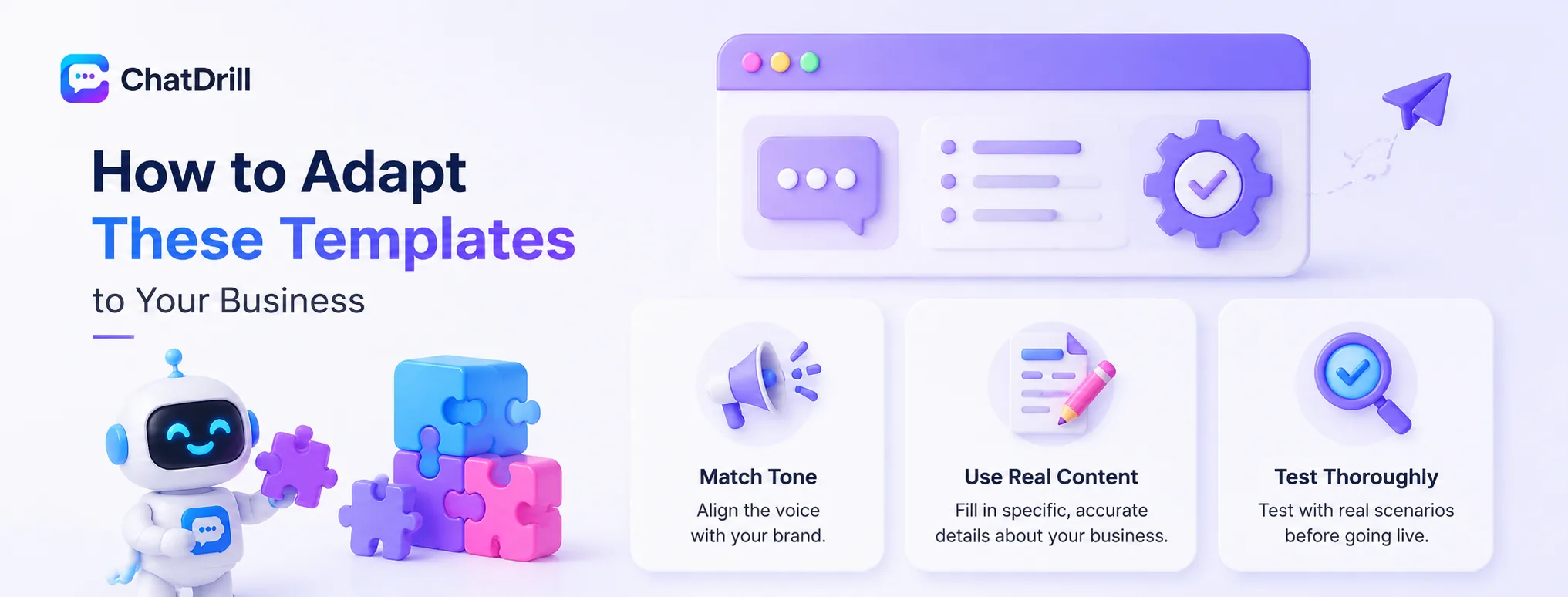
Adapting templates well means matching the tone to your actual brand voice, filling in genuinely specific content rather than generic placeholders, and testing each adapted flow with real, varied scenarios before relying on it in production.
Matching tone to your brand voice
A template's structure may work well, but the actual wording should reflect your specific brand's tone, casual or formal, playful or professional, rather than a generic, one-size-fits-all voice.
This tone matching is a relatively quick adjustment but meaningfully affects how native and genuine the resulting chatbot experience feels to your actual visitors.
Filling in specific, real content
A template provides structure, but the actual content, product details, policy specifics, pricing information, needs to be genuinely accurate and specific to your business, not generic placeholder text.
This content work is where the real effort in adaptation lies, worth investing genuine time here rather than treating it as a quick fill-in-the-blank exercise.
Testing each adapted flow thoroughly
Before relying on an adapted template in production, test it with real, varied scenarios specific to your business, confirming it handles your actual customer questions well, not just the generic scenario the template was originally designed around.
This testing catches adaptation gaps, places where the generic template didn't quite translate correctly to your specific business context, before real customers encounter them.
Common Mistakes When Using Templates
The most common mistakes are using a template unedited without genuine customization, applying a template to a scenario it wasn't actually designed for, and never testing the adapted version against your specific business's real questions.
Using templates unedited
A template deployed with only minimal, surface-level changes tends to feel generic and impersonal, undermining the trust a genuinely tailored chatbot experience would otherwise build.
Investing real adaptation effort, not just a quick pass, is what actually delivers the value a good template starting point is meant to provide.
Misapplying a template to the wrong scenario
Forcing a template designed for one scenario, like FAQ handling, into a genuinely different use case, like complex qualification, tends to produce an awkward, poorly fitting result.
Choosing the template genuinely matching your actual scenario, rather than the closest available option, produces considerably better results than forcing an imperfect fit.
Skipping thorough testing
Assuming an adapted template works correctly without genuine testing against your specific business's real questions risks deploying a flow with gaps that only surface once real customers encounter them.
This testing step is worth the time investment, catching adaptation issues while stakes are low rather than discovering them through frustrated real customer interactions.
How ChatDrill Makes These Templates Easy to Build
ChatDrill's flow builder supports these common template patterns directly, letting a business adapt structure and content through a visual interface without extensive technical configuration, while its AI provides the underlying flexibility templates alone can't fully capture.
Visual flow building on proven patterns
ChatDrill's interface supports building flows following these common patterns, greeting, qualification, FAQ handling, and more, without requiring a business to design conversation structure entirely from scratch.
This visual approach makes adaptation genuinely accessible, letting a non-technical team member adjust tone and content without needing deep technical configuration skills.
AI flexibility beyond rigid templates
Beyond the template structure itself, ChatDrill's underlying AI adds genuine flexibility, handling variations and follow-up questions naturally rather than requiring every possible conversation path to be explicitly designed in advance.
This combination, template structure for common scenarios plus AI flexibility for genuine variation, produces a chatbot considerably more capable than templates alone could deliver.
Frequently Asked Questions
Are chatbot flow templates meant to be used exactly as-is?
No, templates are meant as adaptable starting frameworks, the real value comes from customizing tone, content, and specific details to genuinely fit your business rather than deploying a generic, unedited version.
Does ChatDrill support building flows from these templates?
Yes, ChatDrill's visual flow builder supports common patterns like greeting, qualification, and FAQ handling, letting a business adapt structure and content without extensive technical configuration.
Which template should I start with first?
This depends on your business priorities, a business focused on pipeline generation might start with lead qualification, while one focused on support efficiency might start with FAQ handling or order status lookup.
How much customization does a template actually need?
Meaningful customization, matching tone to your brand voice and filling in genuinely specific, accurate content, is essential, a template used with only minimal edits tends to feel generic and impersonal.
Can I combine multiple templates into one chatbot?
Yes, most businesses combine several templates, greeting leading into qualification or FAQ handling, with escalation available throughout, rather than using just one template in isolation.
Should I test an adapted template before deploying it?
Yes, thoroughly testing with real, varied scenarios specific to your business catches adaptation gaps before real customers encounter them, an essential step regardless of how proven the original template was.