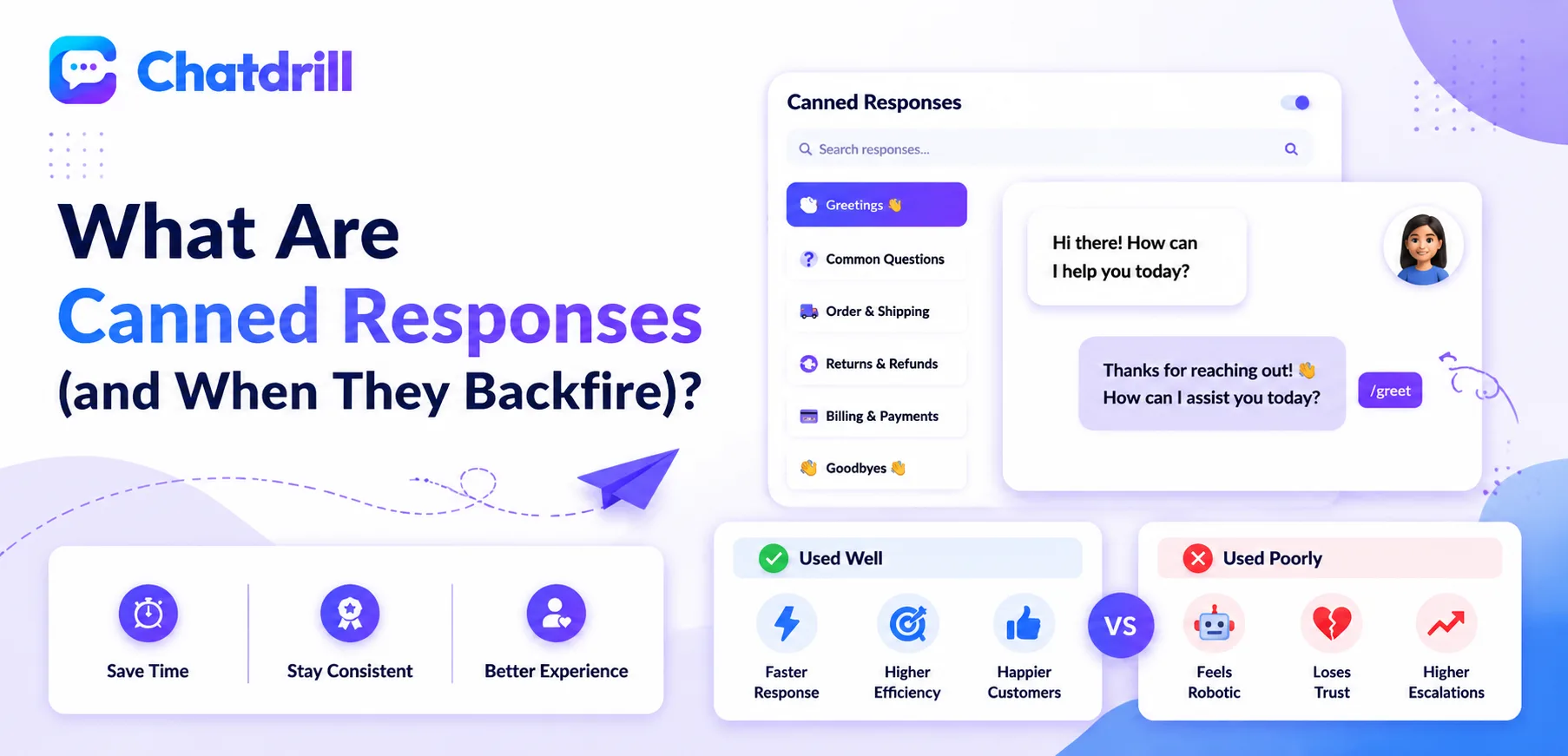
Content A canned response is a pre-written reply an agent can insert into a chat conversation with a shortcut, saving the time of typing the same answer from scratch every time a familiar question comes up.
Used well, canned responses are one of the most direct levers a support team has for cutting response time, since an agent isn't retyping the same explanation dozens of times a week.
Used poorly, they're one of the fastest ways to make a conversation feel obviously automated and impersonal, a customer who senses they're reading a form letter tends to disengage or escalate their frustration rather than feel helped.
The line between these two outcomes isn't really about whether to use canned responses at all, nearly every team should, it's about how they're written, personalized, and maintained over time.
This guide covers what canned responses actually are, how they work in practice, their genuine benefits, the specific ways they backfire, how to avoid those pitfalls, and how to build a canned response library that stays genuinely useful rather than becoming a liability.
What Are Canned Responses?
A canned response is a saved, reusable reply stored in a live chat platform's library, retrievable by a shortcut or keyword, meant to serve as a fast starting point for a common question rather than a final, unedited message.
Simple definition
In practice, a canned response is text a team writes once and saves, then an agent inserts with a quick keyboard shortcut or search instead of typing the same answer from memory each time.
The best ones are written as templates with an obvious placeholder for a name or specific detail, rather than a fully generic message meant to apply unedited to every situation.
This distinction, template versus finished message, is what separates a canned response used well from one that reads as obviously automated.
Canned responses vs macros vs snippets
These terms are largely interchangeable across platforms, though "macro" sometimes implies a bundled action, like tagging a conversation, alongside the text itself.
Most modern chat platforms, including ChatDrill, store all of these under one searchable saved-reply library, letting an agent pull one up mid-conversation without losing their flow.
Whatever a specific platform calls the feature, the underlying value proposition is the same: less repetitive typing, more consistency across the team.
Where canned responses fit in a chat workflow
They typically live in a searchable panel or triggered by a shortcut, like typing a forward slash followed by a keyword, letting an agent insert a reply without leaving the conversation window.
This tight integration into the existing chat interface is what makes canned responses genuinely fast to use, compared to, say, copying text from a separate reference document.
How Canned Responses Work in Practice
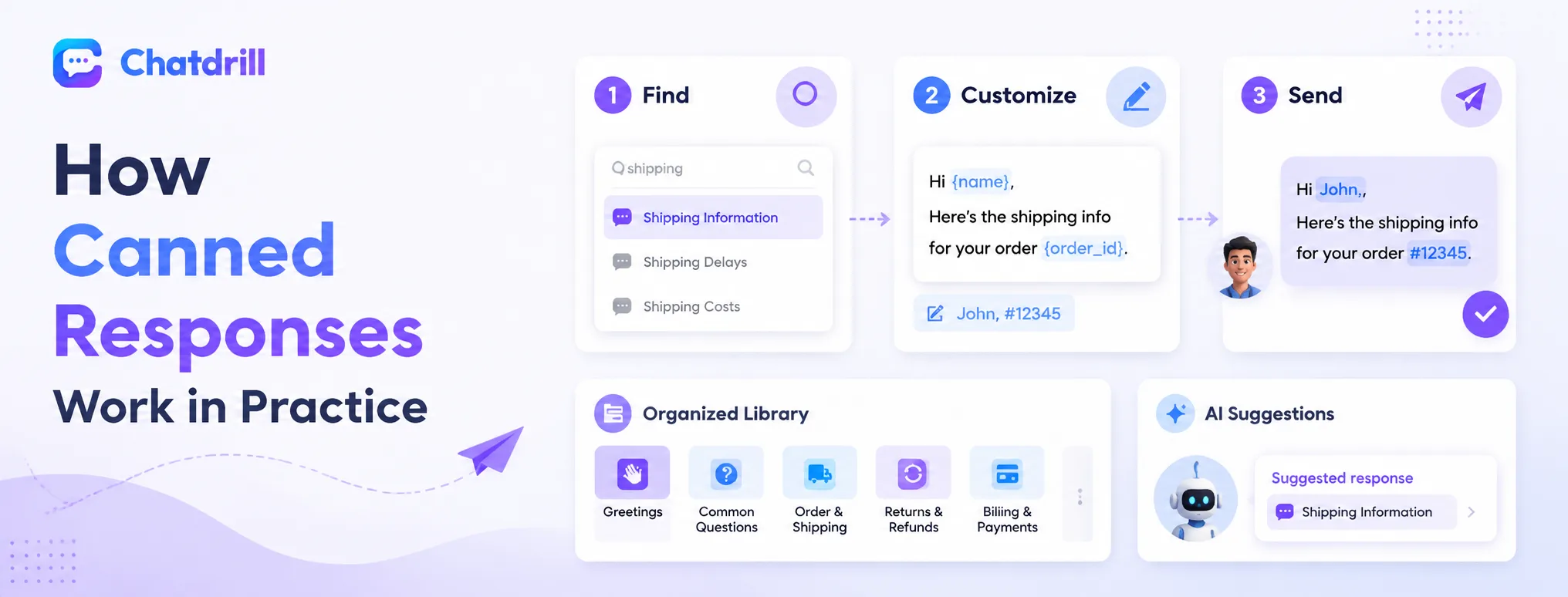
Content In day-to-day use, an agent recognizes a familiar question, pulls up the relevant saved reply through a shortcut or search, edits any placeholder details, and sends it, often in a fraction of the time a fully typed response would take.
The typical agent workflow
An agent reading an incoming message recognizes it as a familiar pattern, a shipping question, a pricing question, and searches or types a shortcut to pull up the matching saved reply.
Before sending, a good agent quickly scans for placeholders, a name, an order number, a specific detail, and fills them in rather than sending the template unedited.
This entire process, from recognition to a personalized, sent reply, often takes under ten seconds once an agent is familiar with the library.
How AI complements canned responses
Many modern platforms, including ChatDrill, let AI suggest a relevant canned response automatically based on the incoming message, speeding up the recognition step even further.
Some platforms go a step further, letting AI insert and even lightly personalize a canned response automatically for straightforward, low-risk questions without an agent needing to intervene at all.
This layering of AI on top of a canned response library tends to produce the fastest response times available in a modern chat setup.
How teams typically organize a canned response library
Most teams organize saved replies by category, greetings, pricing, shipping, so an agent under time pressure can navigate quickly to the right group rather than searching a single undifferentiated list.
A well-organized library with clear, memorable shortcuts reduces the time agents spend hunting for the right response, compounding the time savings canned responses are meant to provide in the first place.
The Genuine Benefits of Canned Responses
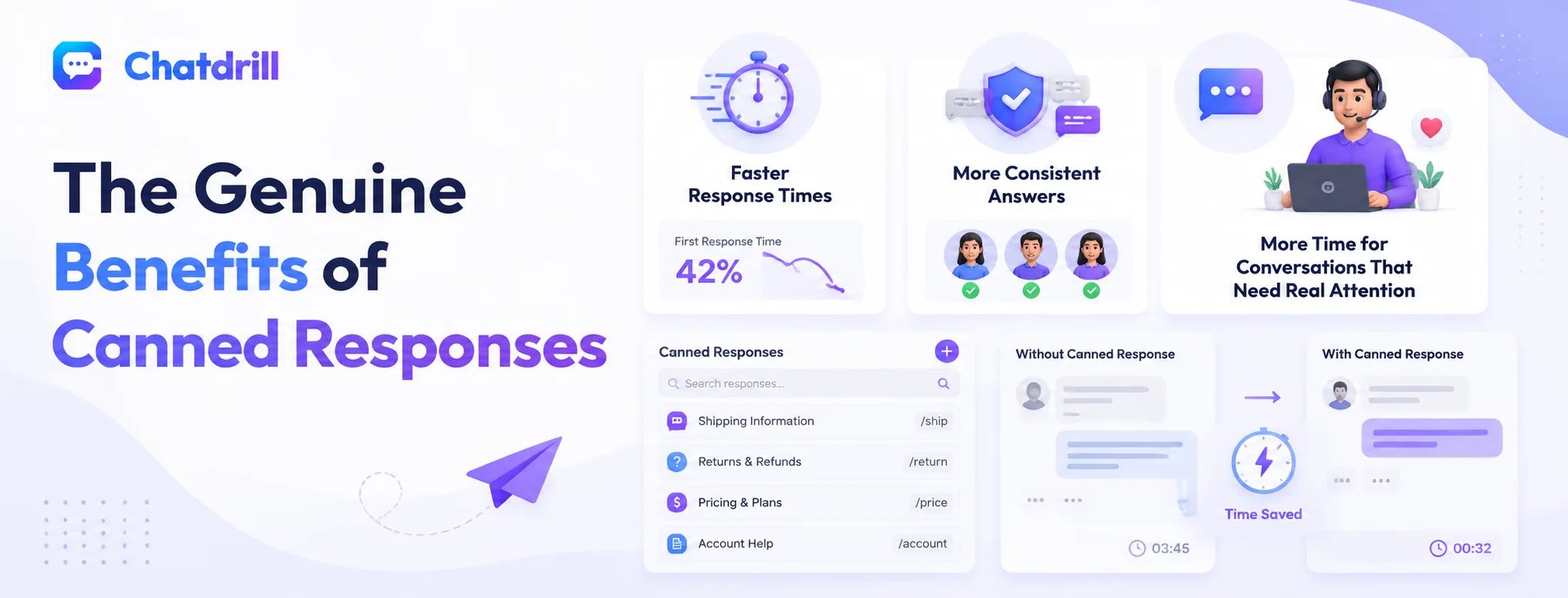
Canned responses cut first response time meaningfully, produce more consistent answers across an entire team, and free up agent time for the harder, more nuanced conversations that actually benefit from full attention.
Faster response times
Canned responses are one of the most direct, low-effort levers a team has for improving response time, since a familiar question no longer requires typing the same explanation from scratch.
This speed compounds across a busy shift, the cumulative time saved across dozens of repetitive questions frees meaningful capacity for a team without adding headcount.
Teams that measure this directly often find first response time drops noticeably in the weeks after building out a solid canned response library.
More consistent answers across the team
Without canned responses, different agents tend to phrase the same policy or answer slightly differently, sometimes introducing inconsistency or even minor inaccuracy over time.
A shared, reviewed library keeps every agent giving essentially the same accurate answer to a given question, reducing the risk of one agent inadvertently miscommunicating a policy.
This consistency also makes onboarding new agents faster, since they can lean on the existing library rather than needing to learn every policy nuance from scratch before answering confidently.
More time for conversations that need real attention
Every minute saved on a routine, repetitive question is a minute available for a genuinely complex or emotionally sensitive conversation that benefits from an agent's full, undivided attention.
This reallocation of time is often the less visible but more valuable benefit of canned responses, improving the quality of the conversations that matter most rather than just speeding up the easy ones.
When Canned Responses Backfire
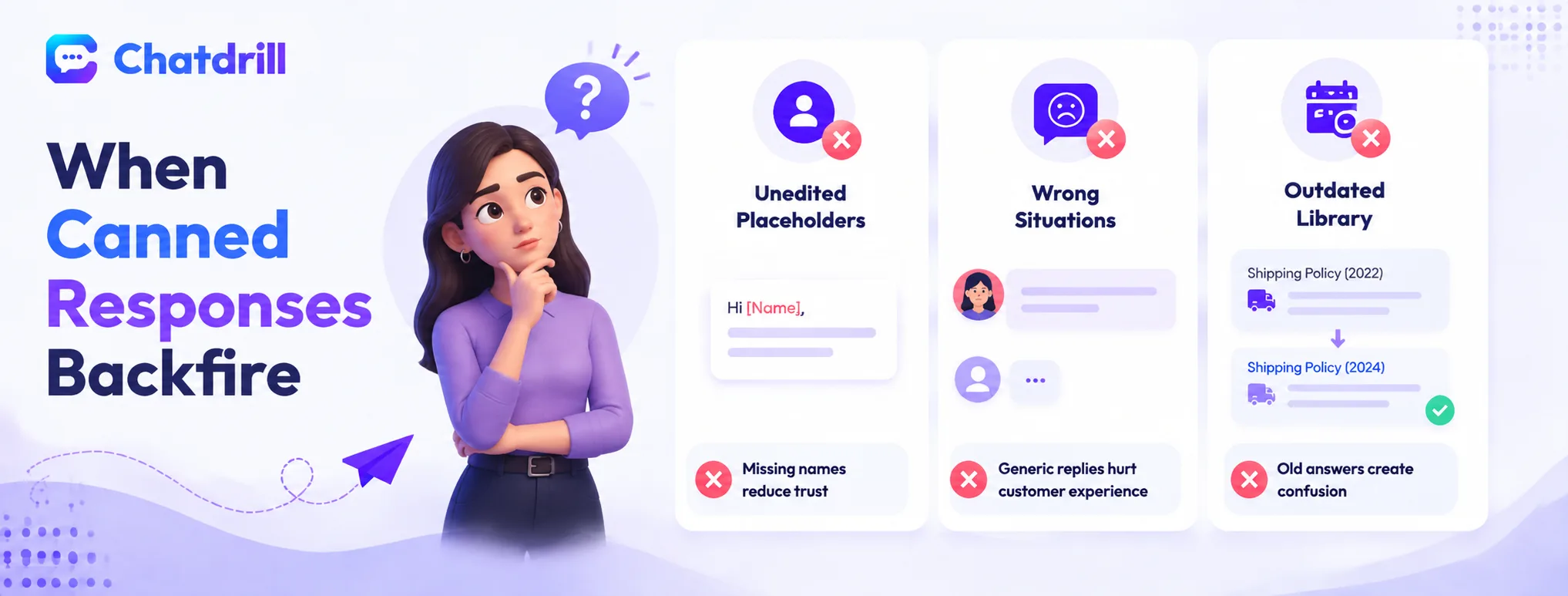
Canned responses backfire when they're sent unedited with an obvious placeholder still visible, when they're used for a question that actually needed a nuanced, personal answer, and when a library goes stale and starts giving outdated information.
Sending a response with an unedited placeholder
A message that goes out with "[Name]" or a similar unfilled placeholder still visible is one of the fastest ways to signal to a customer that they're reading a form letter, not a genuine reply.
This mistake does more damage to trust than a slightly slower, fully personal response would have, since it makes the automation visible in the worst possible way.
It's a genuinely easy mistake to make under time pressure, which is exactly why it's worth building a deliberate habit of a final glance before sending.
Using a canned response for a question that needed nuance
A customer raising a genuinely unusual complaint or a sensitive situation, an angry escalation, a unique edge case, tends to feel dismissed if met with an obviously generic, templated reply.
This mismatch between the emotional weight of the situation and the impersonal tone of a canned response can escalate a frustrated customer further rather than de-escalating them.
Recognizing when a situation calls for a fully personal response, rather than defaulting to whatever canned reply seems closest, is a genuine skill worth training agents on directly.
Letting the library go stale
A canned response referencing an outdated policy, an old pricing tier, or a feature that's since changed actively misinforms a customer, which is considerably worse than simply being slow.
This staleness tends to creep in gradually as a business evolves, making periodic review essential rather than a one-time setup task.
Teams that neglect this review often discover the problem only after a customer points out the inaccuracy, at which point some damage to trust has already occurred.
How to Avoid the Common Pitfalls
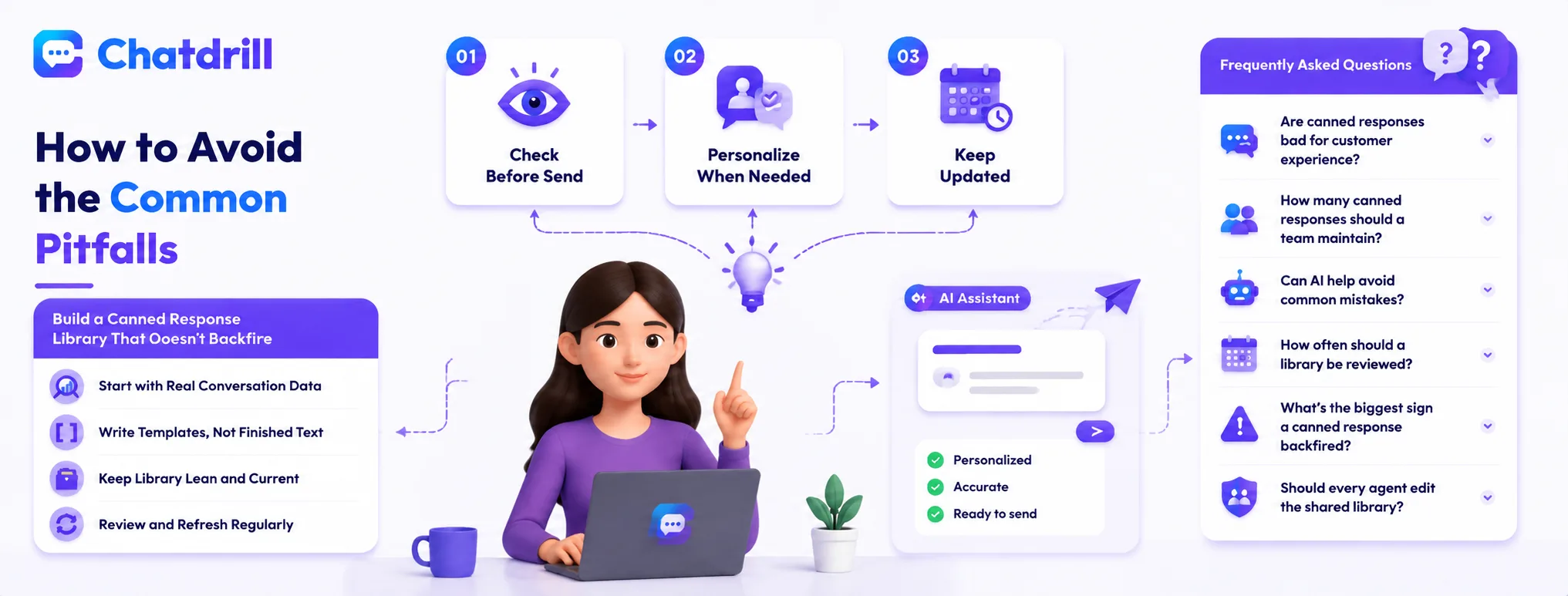
Avoiding these pitfalls means building a habit of a final glance before sending, training agents to recognize when a situation needs a fully personal response instead, and scheduling regular reviews to keep the library accurate.
Building the pre-send glance habit
A simple team norm, always glancing over a canned response before hitting send, catches the vast majority of unfilled-placeholder mistakes before they reach a customer.
This habit is worth reinforcing explicitly during onboarding, since it's an easy step to skip when an agent is moving quickly through a busy shift.
Some platforms also help here directly, visually highlighting an unfilled placeholder before the message can be sent, worth checking whether your platform offers this safeguard.
Training agents to recognize when to go off-script
Giving agents explicit permission, and training, to set aside the canned response library for a situation that clearly needs a genuine, personal reply prevents the worst mismatches between tone and situation.
This is as much a cultural signal as a training point, agents need to feel that deviating from a template when it's genuinely warranted is encouraged, not seen as inefficient.
Scheduling regular library reviews
A quarterly, or even monthly, review of the canned response library against current policies and product details catches staleness before it causes real customer confusion.
This is also a good moment to retire responses nobody uses and promote newer, informal replies agents have started writing on their own, since those often signal a gap the library hasn't caught up to yet.
Building a Canned Response Library That Doesn't Backfire
A canned response library that stays genuinely useful is organized by category, written as flexible templates rather than finished messages, and maintained through a regular, scheduled review rather than a one-time setup.
Starting with real conversation data
Reviewing a sample of actual recent conversations before writing any canned responses reveals the questions genuinely worth templating, often a different list than what a team assumes without checking.
This grounding in real data produces a library that reflects actual customer language and question patterns, rather than a team's best guess at what customers ask.
Writing templates, not finished sentences
Every canned response should have an obvious, easy-to-spot placeholder for personalization, rather than reading as a complete, sendable message on its own.
This structural choice makes the personalization step feel natural and expected, rather than an optional extra step an agent might skip under time pressure.
Keeping the library lean and current
A smaller, well-maintained library of thirty to sixty genuinely useful responses tends to serve a team better than a sprawling, unmaintained one with hundreds of rarely used, possibly outdated entries.
Regularly pruning unused or stale entries keeps the library fast and easy to navigate, preserving the speed advantage canned responses are meant to provide in the first place.