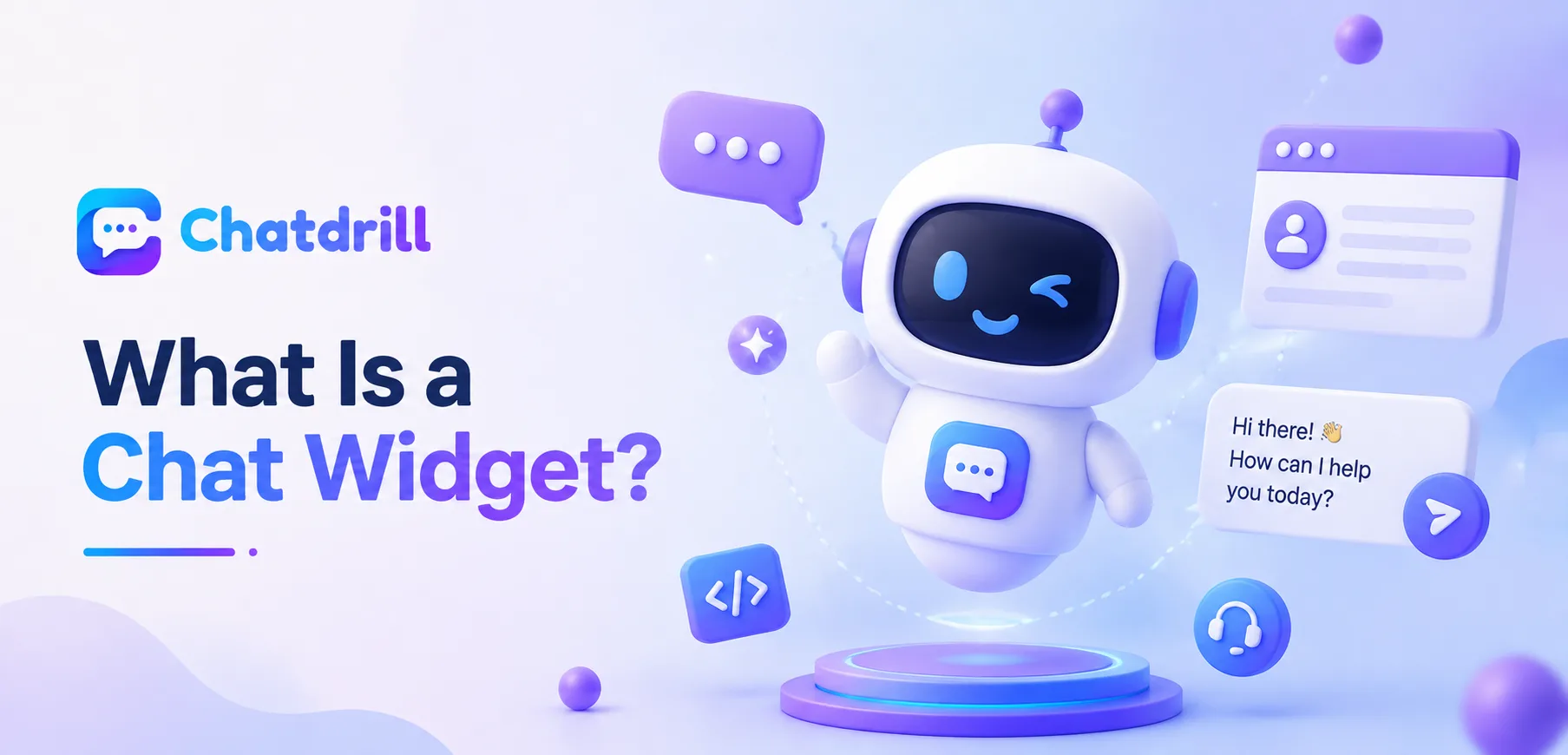
A chat widget is one of those pieces of web technology most people recognize instantly by sight, the small round bubble in the bottom corner of a website, without necessarily knowing the term for it or understanding what's actually happening behind that simple interface.
Quick answer: A chat widget is the small, embeddable interface, usually a chat bubble in a corner of a webpage, that lets a website visitor open a conversation with a business, either with a human agent, an AI chatbot, or both, without leaving the page they're on.
At its core, a chat widget is just a small piece of embedded code that renders a chat interface on top of an existing webpage, connecting a visitor directly to a business's support or sales team without requiring a page reload, a phone call, or a separate app.
Understanding what a chat widget actually is, and what it isn't, matters for anyone evaluating whether to add one to a website, since the term gets used loosely to describe everything from a simple contact form in disguise to a fully AI-powered conversational agent.
This guide covers the plain-English definition, what a widget is actually made of, common variations, how it differs from related concepts, and how ChatDrill's widget fits into this picture.
The Full Definition Explained [major informational gain]
Common Variations and Misconceptions [major informational]
A chat widget is fundamentally a small piece of JavaScript embedded into a website that renders an interactive chat interface, connecting a visitor to a business without leaving the current page.
The technical basics
A chat widget works by inserting a short snippet of JavaScript code into a website's HTML, which then loads a small interface, typically a floating icon that expands into a chat window when clicked.
This snippet communicates with the chat provider's servers in real time, meaning messages sent through the widget travel instantly to wherever the business's support team or AI system is actually monitoring conversations.
What a visitor actually sees and does
From a visitor's perspective, a chat widget usually appears as a small, often circular icon in a corner of the screen, which expands into a text conversation window when clicked, letting them type a message and receive a reply without navigating away.
This simplicity is intentional, the entire design goal of a widget is minimizing friction between a visitor having a question and getting it answered.
Key Components of a Chat Widget [major informational gain]
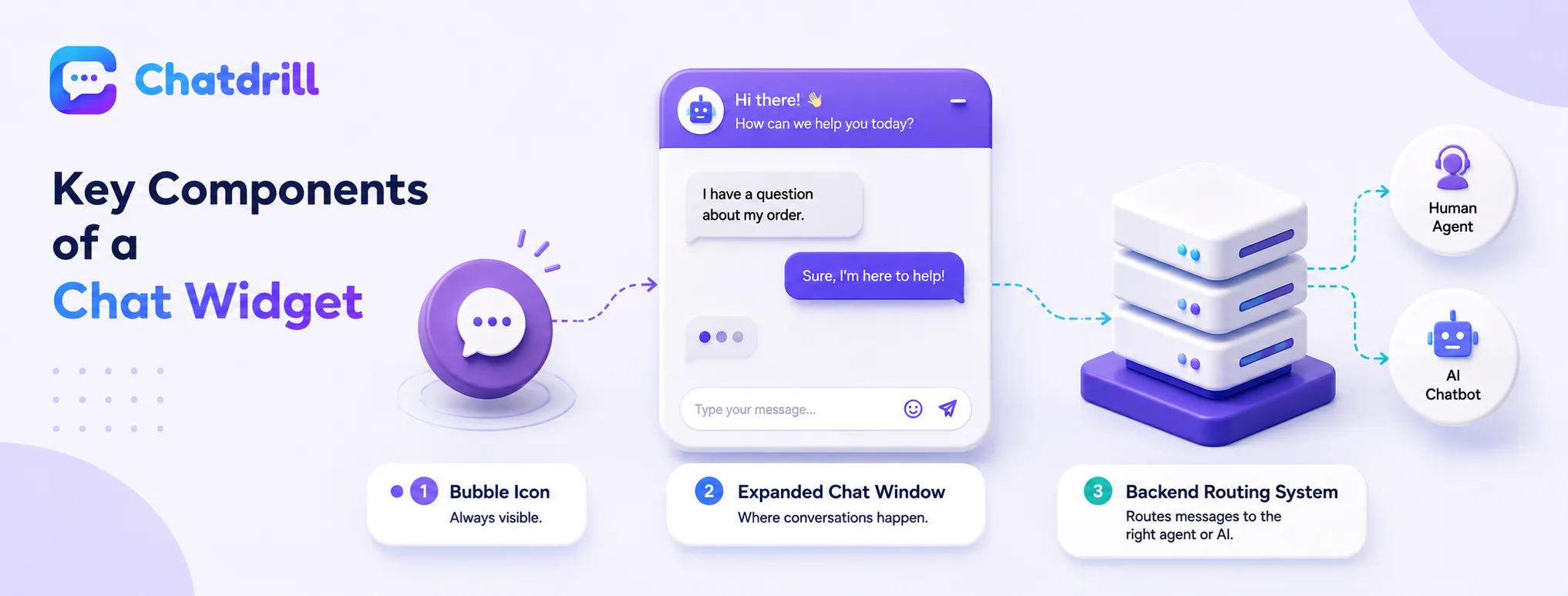
[major informational gain] A typical chat widget consists of the visible bubble icon, the expanded chat window, and the backend connection routing messages to an agent or AI system.
The bubble and expanded window
The bubble icon is the widget's resting state, a small, unobtrusive visual element sitting in a fixed position, usually a bottom corner, that doesn't interfere with the rest of the page's content.
Clicking it expands into the actual chat window, typically showing a greeting message, an input field, and space for the growing conversation thread.
The backend routing and response system
Behind the visible interface, a chat widget connects to a backend system that decides how to handle an incoming message, routing it to an available human agent, an AI chatbot, or some combination of both depending on how the business has configured it.
This backend layer is where the actual intelligence and business logic live, the widget itself is just the visible entry point into that system.
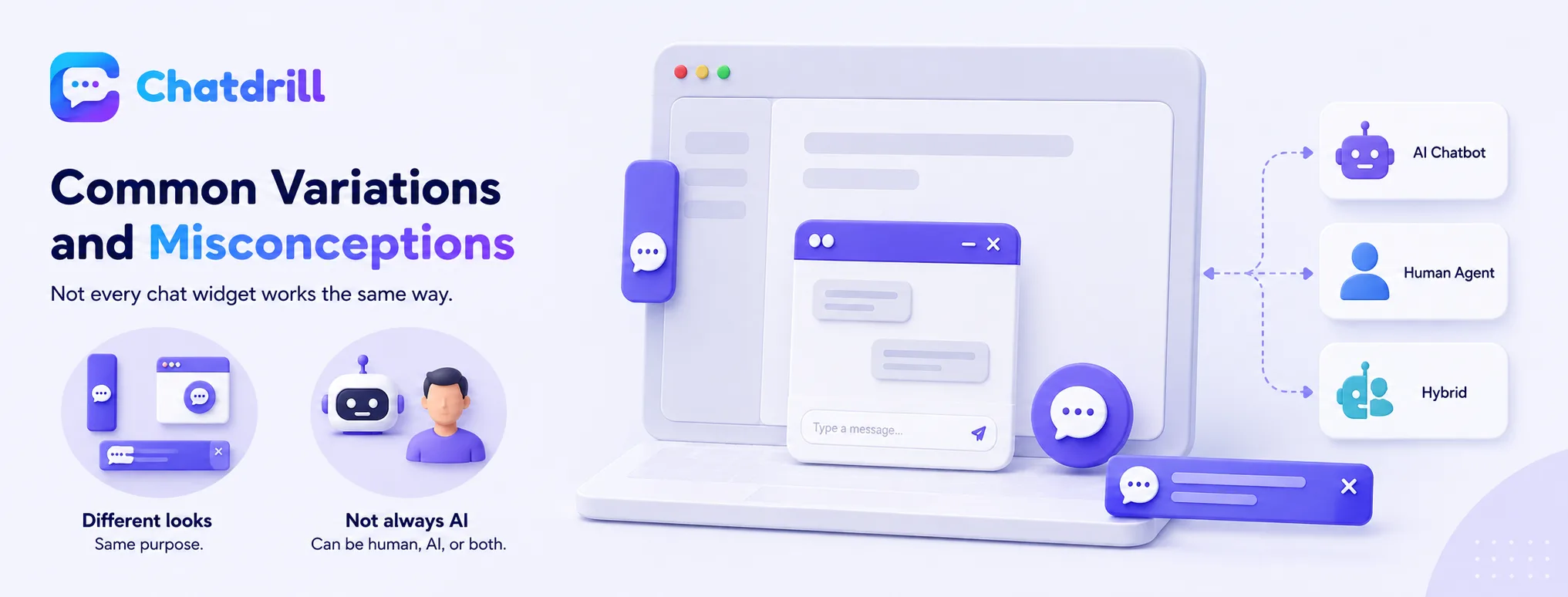
Common Variations and Misconceptions [major informational gain] Not every chat widget works the same way, and a few common misconceptions are worth clearing up when evaluating or discussing this technology.
Widget appearance and placement can vary widely
While a bottom-right circular bubble is the most common convention, widgets can appear as a tab on the side of a screen, a banner, or a fully embedded panel rather than a floating overlay, depending on a business's specific design choices.
This variation means "chat widget" describes a category of interface pattern rather than one single, fixed visual design.
A widget isn't automatically an AI chatbot
A common misconception is assuming every chat widget includes AI automation, when in reality a widget is simply the interface, it can connect purely to human agents, purely to an AI chatbot, or a hybrid of both.
Understanding this distinction matters when evaluating a chat solution, since the widget itself says nothing about what's actually happening on the other end of the conversation.
Chat Widget vs Related Concepts [major informational gain]
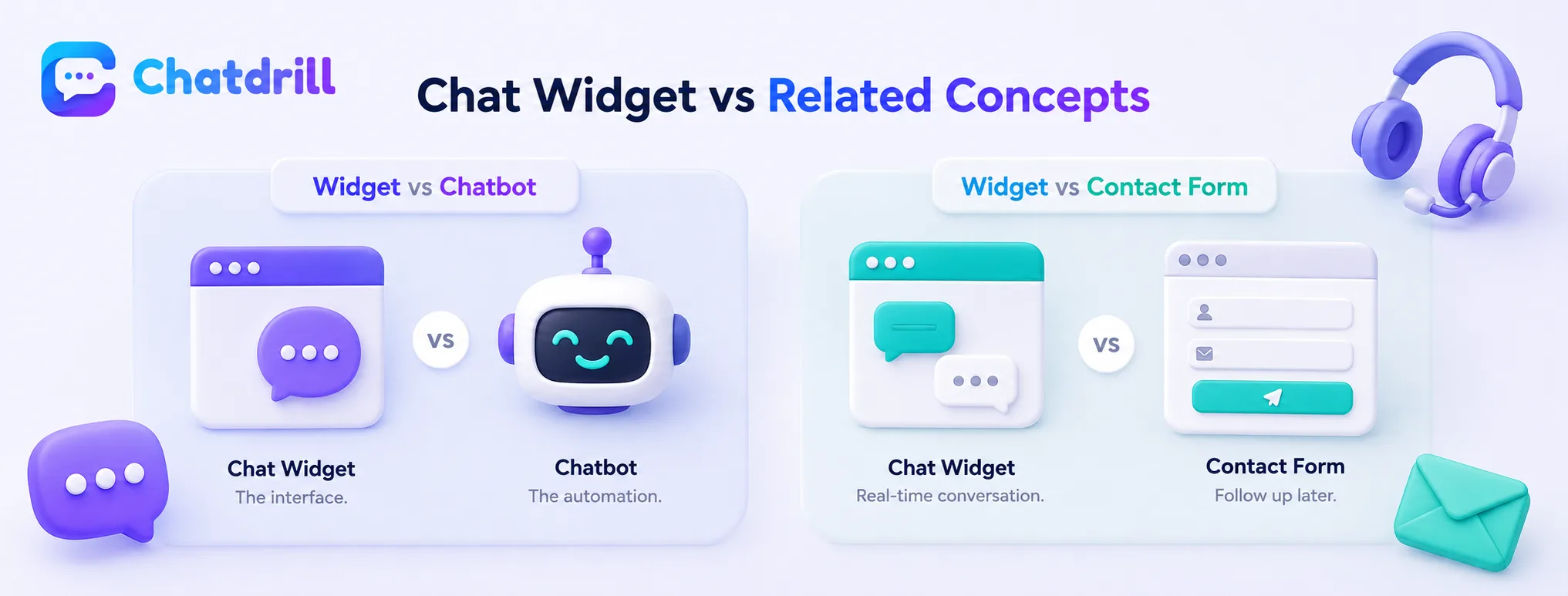
[major informational gain] A chat widget is distinct from a chatbot, a contact form, and a help desk, though these terms sometimes get used interchangeably in casual conversation.
Widget vs chatbot
A chat widget is the interface itself, while a chatbot is the automated system that might power the responses within that interface, meaning a widget can exist with or without a chatbot behind it.
This distinction matters because a business can have a genuinely excellent widget design paired with poor automation, or vice versa, they're separate components evaluated separately.
Widget vs contact form
A contact form collects information for a business to follow up on later, typically via email, while a chat widget is built specifically for real-time, back-and-forth conversation happening while the visitor is still on the page.
This real-time nature is the defining functional difference, a widget's whole value proposition depends on immediate, live interaction rather than delayed follow-up.
How ChatDrill's Widget Works
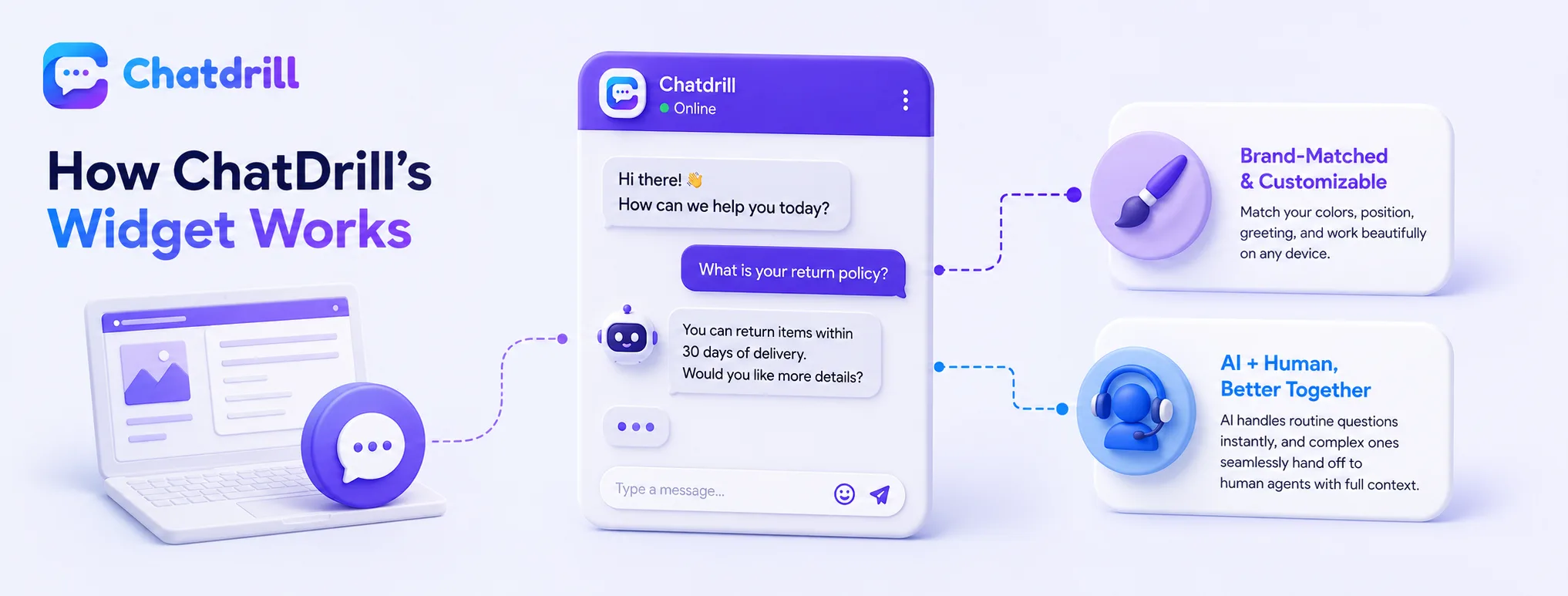
[major informational gain] ChatDrill's chat widget combines a customizable, lightweight interface with AI-powered responses trained on your specific business content, plus seamless human handoff when needed.
A customizable, brand-matched interface
Can a chat widget be customized to match my brand?
message, ensuring it feels like a natural part of your website rather than a generic, bolted-on element.
This customization extends to mobile responsiveness, ensuring the widget performs well regardless of the device a visitor is using.
AI and human working together behind the widget
Behind ChatDrill's widget interface, AI trained on your actual product and policy content handles routine questions instantly, while genuinely complex conversations hand off cleanly to a human agent with full context.
This combination means the widget itself stays simple and familiar for the visitor, while the underlying system intelligently manages who or what actually responds to any given message.