

AI reply suggestions show an agent a drafted response based on the incoming customer message, letting them review, edit, and send in seconds rather than composing a reply entirely from scratch, a meaningfully different automation model than full AI resolution.
This assisted approach sits between fully manual agent work and complete AI automation, keeping a human in the loop for judgment and personalization while removing the time cost of typing a response from a blank text field every single time.
The speed impact is genuinely significant for many teams, agents reviewing and lightly editing a relevant suggestion consistently respond faster than those composing every message manually, with some teams reporting speed gains reaching multiple times their prior pace.
Getting real value from this feature requires more than just enabling it, agents need to develop the habit of using suggestions well, reviewing rather than blindly accepting, and knowing when a suggestion genuinely doesn't fit the specific situation.
This guide covers what AI reply suggestions actually do, how they work technically, the real speed impact on agent productivity, how to get a team using them well, common pitfalls, and how ChatDrill's reply suggestions specifically work.
What AI Reply Suggestions Actually Do
AI reply suggestions analyze an incoming customer message and generate a drafted response for the agent to review, edit if needed, and send, distinct from full automation where the AI sends a response without any human review at all.
Simple definition
Rather than an agent starting from a blank reply field, the AI provides a relevant, ready-to-review starting point based on the message content and available business context.
This is fundamentally an assistance model, the human agent retains full control and judgment, using the suggestion as a time-saving starting point rather than a fully autonomous response.
This distinguishes reply suggestions from a fully automated chatbot, where the AI generates and sends a response independently without human review in the loop.
Why this model appeals to many support teams
Teams not yet ready to trust full AI automation, or handling genuinely nuanced conversations where human judgment adds real value, often find reply suggestions offer a compelling middle ground.
This model captures much of AI's speed benefit while keeping human oversight on every single outgoing message, appealing to businesses prioritizing this balance of speed and control.
How Reply Suggestions Work
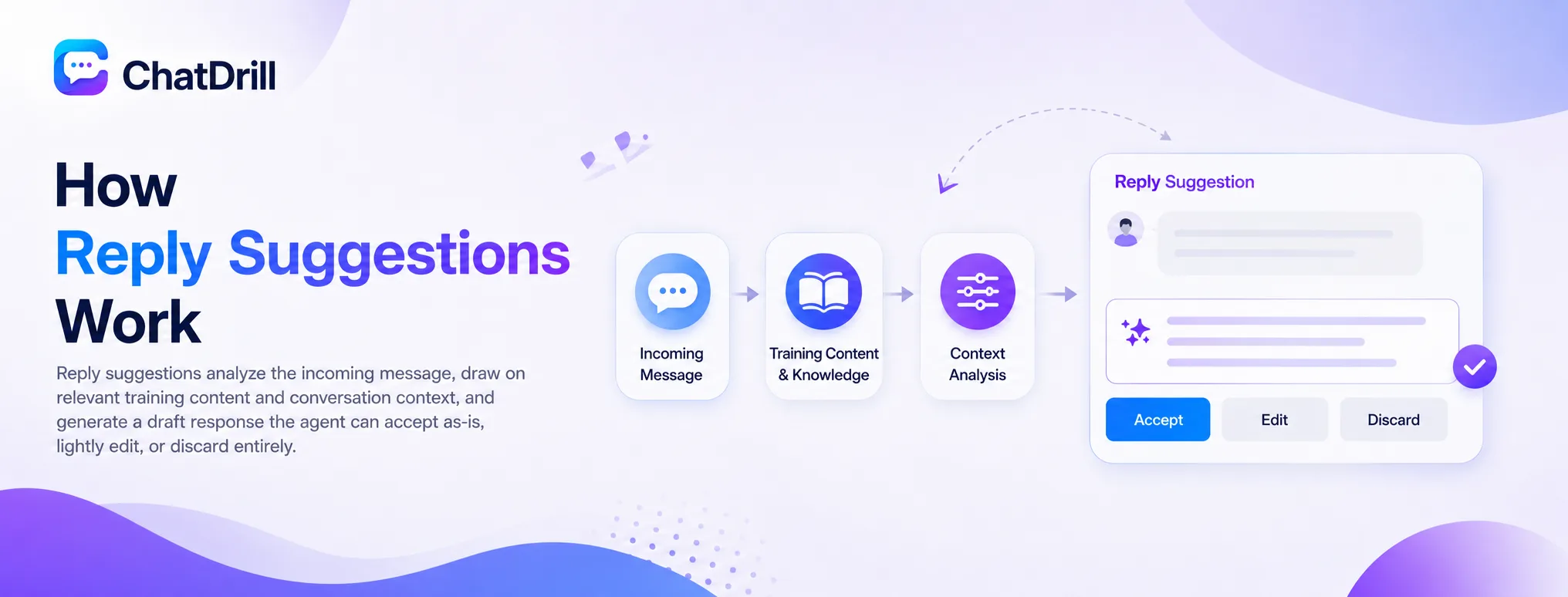
Reply suggestions work by analyzing the incoming message, drawing on relevant training content and conversation context, and generating a draft response the agent can accept as-is, lightly edit, or discard entirely.
Analyzing message content and context
The system interprets the incoming customer message alongside any relevant conversation history, similar to how a full AI chatbot interprets intent, but generating a suggestion rather than sending a response directly.
This analysis draws on the same underlying training content that powers full AI automation, meaning the quality of reply suggestions directly benefits from the same knowledge base investment discussed elsewhere.
Generating a relevant draft
Based on this analysis, the system drafts a specific, relevant response for the agent's review, ideally reflecting both the specific question and appropriate business tone and policy.
The quality of this draft varies by platform and training depth, worth testing directly with real, varied questions during evaluation to assess genuine usefulness.
Agent review and action
The agent reviews the suggestion, choosing to send it unedited, make a quick personalization edit, or discard it entirely in favor of a fully manual response for situations where the suggestion doesn't genuinely fit.
This review step is what keeps human judgment central to the process, distinguishing this model clearly from full, unsupervised automation.
The Real Speed Impact on Agents
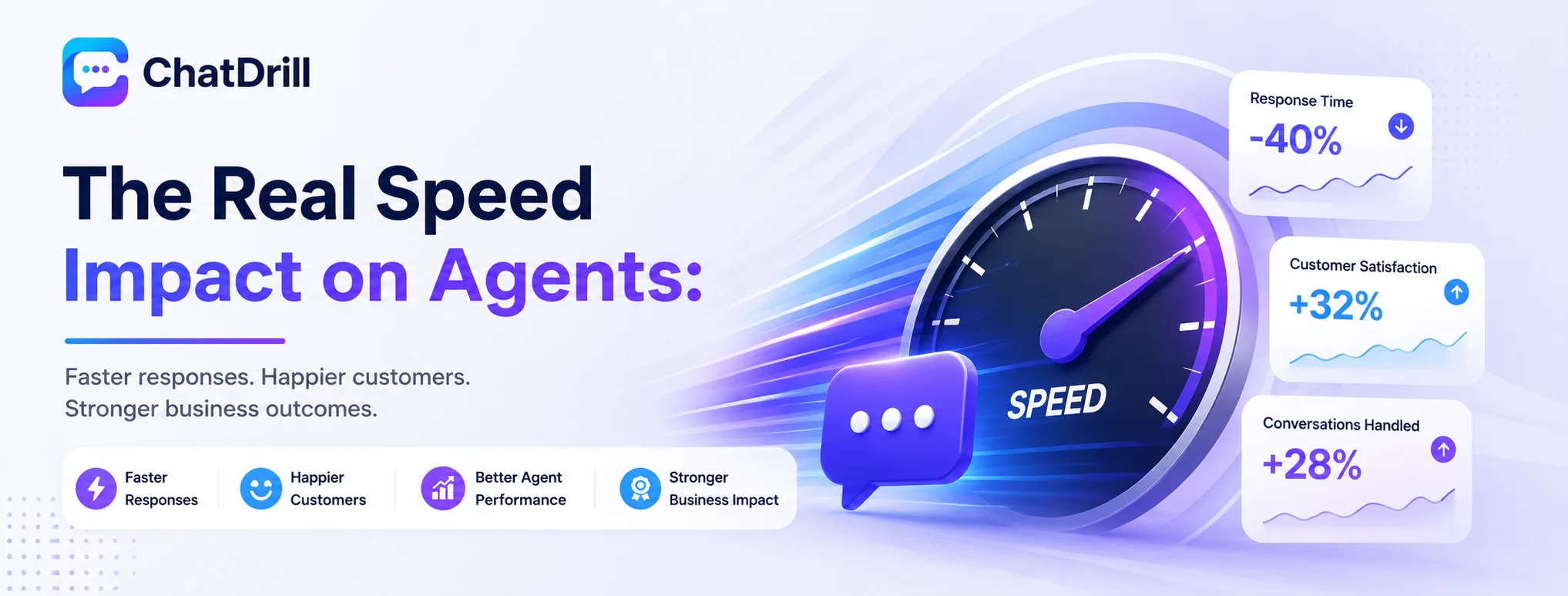
Agents using well-tuned reply suggestions consistently respond faster than those typing every message from scratch, with some teams reporting response time improvements reaching two to three times their prior baseline for common question types.
Where the speed gain actually comes from
The core efficiency gain comes from eliminating the composition time for common, repetitive questions, an agent reviewing and lightly editing a relevant draft takes meaningfully less time than typing an equivalent response from nothing.
This gain is most pronounced for repetitive question types, where the same or similar suggestion applies frequently, less pronounced for genuinely novel or complex situations requiring substantial original composition regardless.
Why this varies by question type
Simple, common questions see the largest speed benefit, since suggestions for these tend to be accurate and require minimal editing before sending.
Genuinely complex or nuanced questions see a smaller benefit, since the suggestion may require substantial editing or serve more as a loose starting point than a near-final draft.
How this translates to overall team capacity
Faster individual response times compound across a team's total conversation volume, effectively increasing overall support capacity without adding headcount, a genuine business efficiency gain worth tracking explicitly.
Teams that measure this directly, comparing average response time before and after adopting reply suggestions, typically see a clear, quantifiable improvement worth the adoption effort.
Getting Agents to Actually Use Suggestions Well

Getting genuine value from reply suggestions requires training agents to review rather than blindly accept, encouraging light personalization before sending, and building comfort with discarding a suggestion when it genuinely doesn't fit.
Training agents to review, not blindly accept
Agents should be explicitly trained to actually read a suggestion before sending, rather than developing a habit of clicking accept reflexively without genuine review.
This review habit is what prevents an inaccurate or inappropriate suggestion from reaching a customer, keeping the human judgment layer genuinely meaningful rather than a formality.
Encouraging light personalization
A quick edit adding a customer's name or a specific detail before sending keeps responses feeling personal, even when built from an AI-suggested starting point.
Building this personalization habit maintains the human touch customers value, while still capturing most of the speed benefit reply suggestions are meant to provide.
Building comfort with discarding suggestions
Agents should feel genuinely comfortable ignoring a suggestion that doesn't fit a specific situation, rather than feeling pressured to use it simply because it was offered.
This comfort with discarding, not just accepting or editing, keeps the overall system serving the agent rather than constraining their judgment on situations that genuinely need something different.
Common Pitfalls With Reply Suggestions
The most common pitfalls are agents accepting suggestions without genuine review, suggestion quality degrading due to stale training content, and teams failing to track whether the tool is actually delivering measurable speed improvement.
Reflexive acceptance without review
An agent culture that develops a habit of accepting every suggestion without genuine review risks sending inaccurate or inappropriate responses, undermining the quality safeguard human oversight was meant to provide.
This risk is worth addressing directly through training and, where possible, spot-checking sent messages for signs of unreviewed, blindly accepted suggestions.
Suggestion quality degrading over time
Since suggestion quality depends on the same underlying training content as full AI automation, neglecting that training maintenance degrades suggestion usefulness just as it would degrade full AI response quality.
This connection is worth remembering, reply suggestions aren't a separate system requiring separate maintenance, they benefit directly from the same knowledge base investment as broader AI capability.
Not tracking actual impact
Deploying reply suggestions without measuring actual response time improvement leaves a business unable to confirm the tool is delivering genuine value, or identify if adoption issues are limiting its impact.
Tracking this data explicitly, comparing before and after adoption, provides concrete evidence for continuing or expanding the tool's use across the broader team.
How ChatDrill's Reply Suggestions Work
ChatDrill's reply suggestions draw on the same trained knowledge base powering its AI chatbot, giving agents contextually relevant drafts they can review, personalize, and send, with reporting to track actual speed impact over time.
Shared training foundation with full AI
Do reply suggestions require the same training as a full chatbot?
chatbot, investing in strong knowledge base training benefits both capabilities simultaneously.
This shared foundation means a business doesn't need to maintain separate training efforts for suggestions versus full automation, streamlining the ongoing content maintenance discussed elsewhere.
Built-in speed tracking
ChatDrill's analytics track response time trends, letting a team directly measure whether reply suggestion adoption is delivering the speed improvement the feature is meant to provide.
This visibility supports the kind of data-driven confirmation that justifies continued investment in training and encourages broader team adoption of the feature.