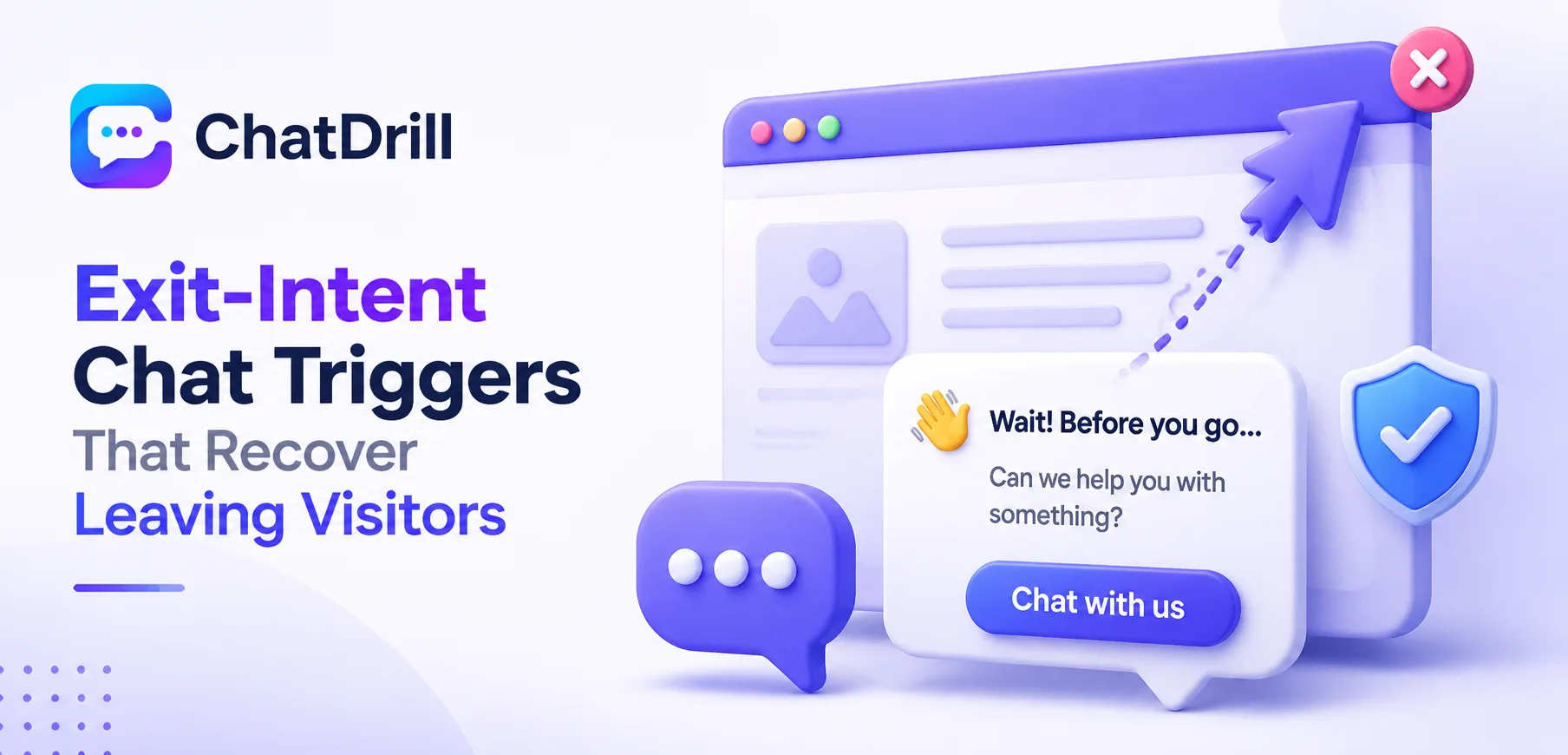
An exit-intent chat trigger detects when a visitor is about to leave a page, typically by tracking cursor movement toward the browser's close or back button, and fires a targeted chat message at that exact moment, catching hesitation before it turns into an abandoned visit.
This matters because a visitor about to leave often has an unresolved question or concern holding them back from converting, and a well-timed message at exactly that moment can address it before the opportunity disappears entirely.
Not every exit-intent trigger is equally effective, a generic "wait, don't go!" message tends to feel gimmicky and gets dismissed, while one addressing a specific, likely reason for hesitation performs considerably better.
Getting this right requires understanding both the technical detection mechanism and the message design that actually resonates, since a well-detected but poorly worded trigger still fails to recover the visitor it was meant to catch.
This guide covers what an exit-intent trigger actually is, how the detection mechanism works, how to design a message that actually resonates, a step-by-step setup process, where these triggers work best, and common mistakes to avoid.
What Is an Exit-Intent Chat Trigger?
An exit-intent chat trigger is a proactive chat message that fires specifically when a visitor's behavior signals they're about to leave a page, aiming to catch and address hesitation at the last moment before the visit is abandoned entirely.
Simple definition
Unlike a standard time-based trigger firing after a set delay, an exit-intent trigger specifically watches for behavior signaling imminent departure, most commonly rapid cursor movement toward the top of the browser window.
This timing is what makes exit-intent uniquely valuable, it's a genuine last opportunity to address whatever's causing hesitation before the visitor is gone.
The underlying premise is straightforward, a visitor about to leave without converting likely has an unresolved question or concern, and a well-timed intervention can sometimes resolve it.
Why this timing matters specifically
Other proactive triggers engage a visitor while they're still actively browsing; exit-intent specifically catches the moment just before they'd otherwise leave without any further interaction.
This last-moment timing means exit-intent messages need to be especially relevant and low-friction, since a visitor already mentally checked out is less tolerant of an irrelevant or intrusive interruption.
What exit-intent triggers can realistically recover
Exit-intent works best for recovering visitors experiencing genuine, addressable hesitation, a pricing question, uncertainty about a policy, rather than visitors who simply weren't interested in the first place.
Setting realistic expectations about what this trigger can achieve avoids over-relying on it as a universal fix for low conversion, when it's genuinely most effective for a specific type of hesitating visitor.
How Exit-Intent Detection Works
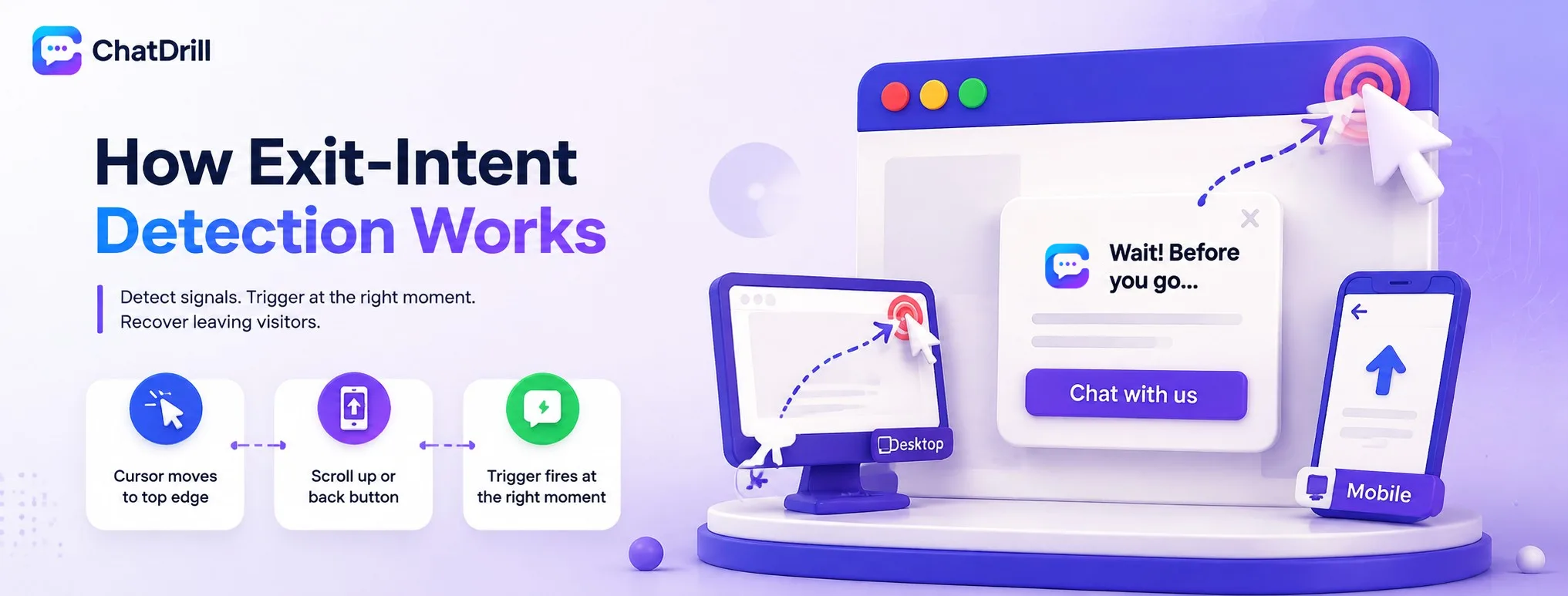
Exit-intent detection typically tracks cursor movement toward the browser's top edge on desktop, or scroll and back-button behavior on mobile, firing the trigger the moment this signal crosses a defined threshold.
Desktop detection via cursor movement
On desktop, exit-intent is most commonly detected by tracking rapid cursor movement toward the top of the browser window, the direction a visitor typically moves before clicking a tab's close button or the browser's back arrow.
This detection isn't perfect, some cursor movement toward this area happens for unrelated reasons, but it remains the most reliable available signal for desktop exit intent.
Mobile detection challenges and alternatives
Mobile devices lack an equivalent cursor-movement signal, making exit-intent detection genuinely harder, some platforms instead use rapid upward scrolling or a tap on the browser's back button as a proxy signal.
Given these limitations, mobile exit-intent triggers tend to be less precise than desktop ones, worth factoring into expectations when evaluating their effectiveness on mobile traffic specifically.
Setting the sensitivity threshold correctly
Most platforms let you adjust how sensitive the detection is, firing more readily or requiring a stronger signal before triggering, worth tuning based on how often the trigger fires versus how often it feels premature.
Testing different sensitivity settings and reviewing how visitors actually respond helps find the right balance for your specific site and traffic pattern.
Designing an Effective Exit-Intent Message
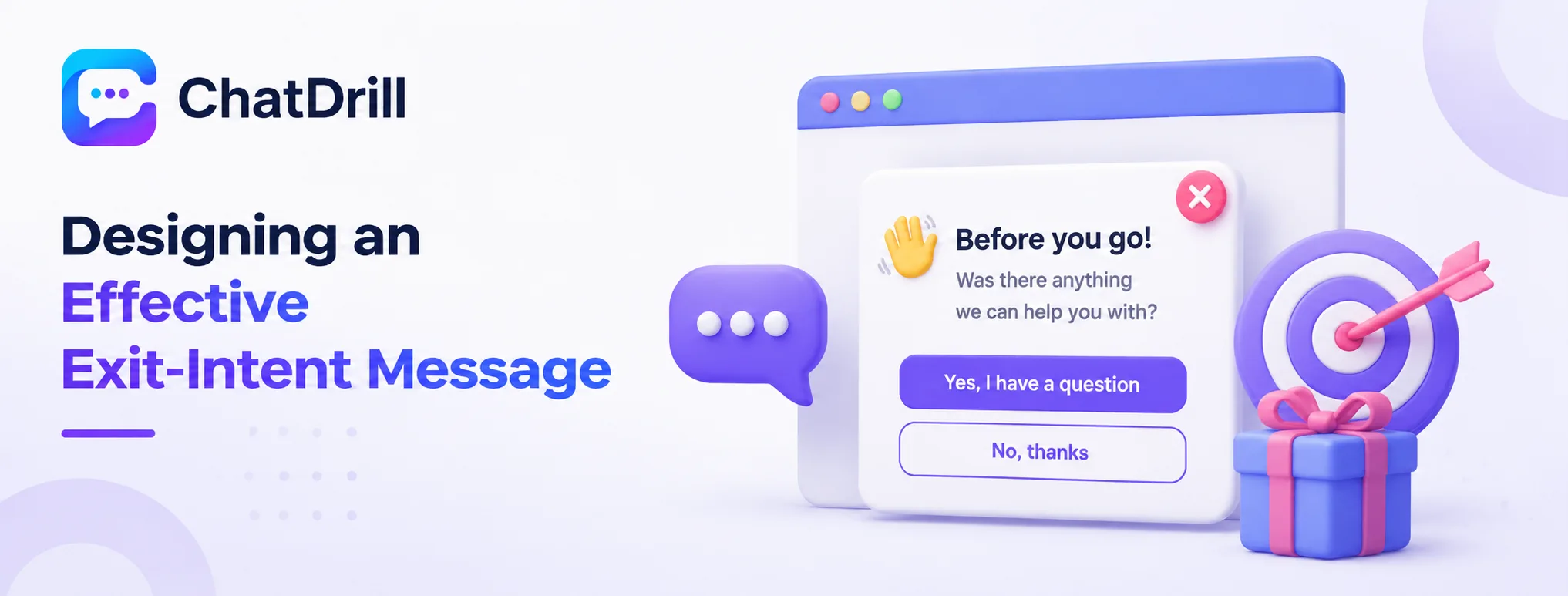
An effective exit-intent message addresses a specific, likely reason for hesitation rather than a generic plea to stay, offers something genuinely useful like an answer or an incentive, and keeps the interaction low-friction given the visitor's already-departing mindset.
Addressing specific hesitation, not generic pleading
A message like "before you go, was there a specific question about pricing I could help with?" performs considerably better than a generic "wait, don't leave!" that offers no actual value or reason to stay.
This specificity requires understanding the likely reason a visitor on a given page might be hesitating, informed by what page they're on and what typically causes drop-off there.
Offering something genuinely useful
Whether it's answering a likely question, offering a relevant discount, or providing a helpful resource, the message should offer a visitor a genuine reason to reconsider, not just an emotional appeal to stay.
This value-first framing respects that a visitor about to leave has already made a decision, and only a genuinely useful offer is likely to change their mind at this point.
Keeping the interaction low-friction
Given a visitor's already-departing mindset, the message and any resulting interaction should require minimal effort to engage with, a simple yes-or-no question rather than a lengthy form or complex ask.
This low friction respects the fact that a visitor on their way out has limited patience for anything beyond a very quick, easy interaction.
Step-by-Step: Setting Up Exit-Intent Triggers
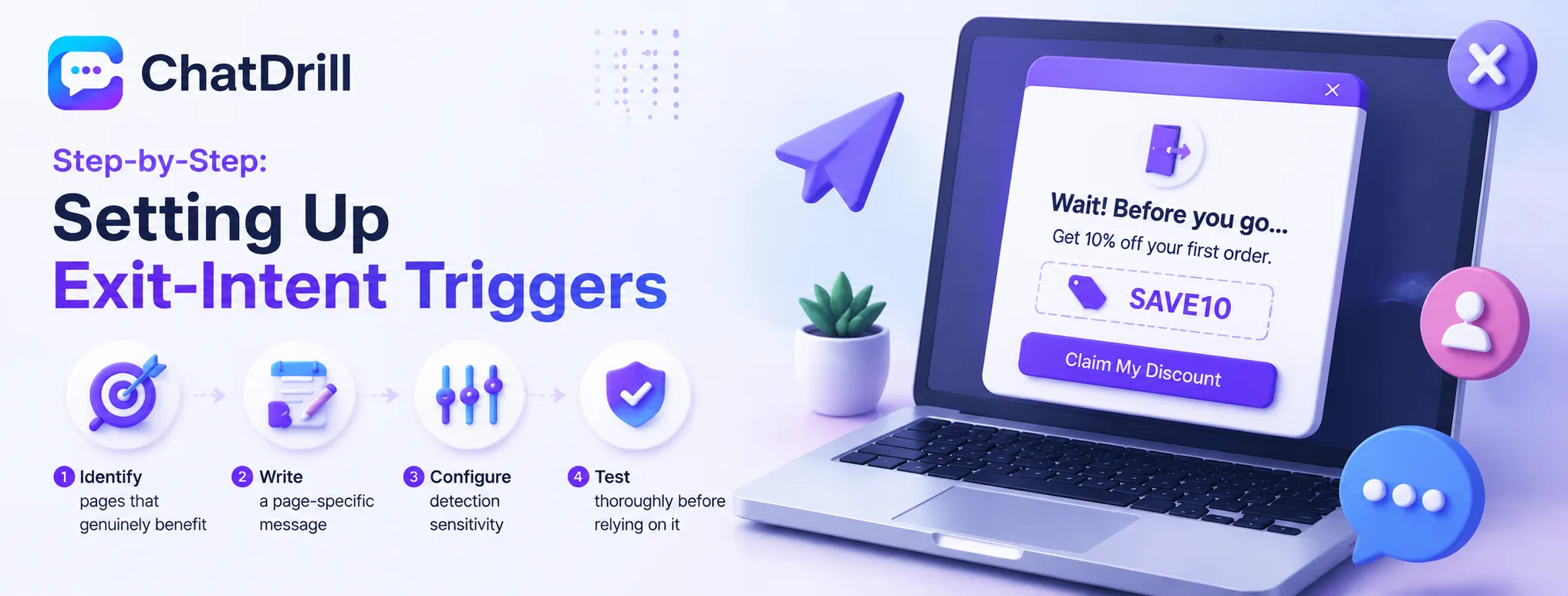
Setting up exit-intent triggers involves identifying which pages genuinely benefit from this trigger, writing a page-specific message addressing likely hesitation, configuring the detection sensitivity, and testing thoroughly before relying on it in production.
Step 1: Identify pages that genuinely benefit
Not every page needs an exit-intent trigger, prioritize pages with high visitor intent but a plausible reason for hesitation, pricing, checkout, a comparison page, rather than applying it universally across the entire site.
This selective application avoids the trigger feeling ubiquitous and losing its impact through overexposure.
Step 2: Write a page-specific message
Craft a message addressing the specific, likely hesitation for each targeted page, rather than reusing one generic message across every page where the trigger is enabled.
This page-specific customization is worth the extra effort, since a genuinely relevant message consistently outperforms a generic one across every test comparing the two approaches.
Step 3: Configure detection sensitivity
Set the exit-intent detection threshold appropriately, testing whether it fires at the right moment, not so early that it feels premature, not so late that the visitor has already effectively left.
This calibration often takes a bit of iteration based on real visitor behavior data once the trigger is live.
Step 4: Test thoroughly before relying on it
Test the trigger's actual firing behavior directly, confirming it activates reliably under real exit-intent conditions without excessive false positives that would annoy visitors who weren't actually leaving.
This testing phase catches a poorly calibrated trigger before it's exposed to real traffic at scale.
Where Exit-Intent Triggers Work Best
Exit-intent triggers work best on pricing pages where hesitation often centers on a specific, addressable question, on checkout pages for recovering an in-progress purchase, and on comparison pages where a visitor may be weighing a final decision.
Pricing pages
A visitor leaving a pricing page often has a specific, addressable concern, unclear value at a given tier, a question about a specific feature, that a well-targeted exit-intent message can directly address.
This makes pricing pages one of the most consistently effective placements for exit-intent triggers across most businesses testing this tactic.
Checkout and cart pages
A visitor abandoning checkout represents a nearly completed purchase, making the value of recovery especially high, worth a well-crafted exit-intent message addressing common checkout hesitations directly.
This is often the single highest-ROI placement for exit-intent, given how close to conversion the visitor already was before showing exit signals.
Comparison and decision pages
A visitor on a page comparing your offering against alternatives may be leaving to research a competitor, making a well-timed message addressing a likely differentiation question genuinely valuable.
This placement works best when the message can speak directly to whatever specific comparison point the page itself is addressing.
Common Mistakes With Exit-Intent Triggers
The most common mistakes are using a generic message with no real value proposition, applying the trigger indiscriminately across every page, and never reviewing actual recovery rate to see if the trigger is genuinely working.
Using a generic, valueless message
A trigger that simply says "don't leave!" without offering any genuine reason to stay tends to feel gimmicky and gets dismissed quickly by visitors already on their way out.
Investing the time to craft a page-specific, genuinely useful message is what actually separates a working exit-intent trigger from one that has no real recovery effect.
Applying the trigger indiscriminately
Firing an exit-intent trigger on every page, regardless of whether that page has a genuine, addressable hesitation point, dilutes its effectiveness and can feel intrusive across low-stakes pages.
Reserving this trigger for pages where it genuinely makes sense preserves its impact for the moments where it matters most.
Never reviewing actual recovery rate
Deploying an exit-intent trigger and never measuring whether it's actually recovering visitors leaves a business unable to tell whether the tactic is working or just adding noise.
Tracking how many triggered conversations actually result in a recovered, converting visitor provides the concrete data needed to justify continuing, adjusting, or removing the trigger.