Tracking chat events in Google Analytics 4 turns live chat from a channel that operates in its own silo into something that shows up alongside every other marketing and conversion metric a business already reports on.
Without this connection, chat's impact on the business is essentially invisible in GA4, a visitor who converts after a chat conversation looks identical in reporting to one who converted without ever engaging chat at all, which makes it genuinely difficult to justify or optimize investment in the channel.
The good news is this connection isn't complicated to set up. GA4's event-based model maps naturally onto chat activity, a widget opening, a conversation starting, a lead captured, each becomes a trackable event with the same reporting flexibility as any other GA4 event.
What takes more thought is deciding which events are actually worth tracking and what to do with that data once it's flowing, since GA4's flexibility can just as easily produce a cluttered, unused set of events as a genuinely useful reporting setup.
This guide covers why tracking chat in GA4 matters, what to prepare before setup, the step-by-step process for sending chat events to GA4, which events are worth tracking, building reports and conversions from the data, and how to attribute revenue to chat specifically.
Why Track Chat Events in GA4
Tracking chat events in GA4 makes it possible to see chat's actual contribution to conversions, compare chat-engaged visitors against those who never interact with chat, and justify further investment in chat with data rather than intuition.
The visibility gap without chat tracking
Without event tracking, GA4 has no way to distinguish a visitor who had a rich chat conversation from one who never saw the widget, treating both identically in every report.
This gap makes it genuinely hard to answer basic questions, like whether chat-engaged visitors convert at a different rate, without manually cross-referencing data from two separate systems.
Closing this gap is what turns chat from an assumed-valuable channel into one with actual, provable impact on the metrics a business already cares about.
What becomes possible once chat is tracked
Once chat events flow into GA4, you can build segments of chat-engaged visitors, compare their conversion rate against the overall site average, and attribute specific conversions back to a chat interaction.
This also opens the door to combining chat data with GA4's existing acquisition data, seeing which marketing channels bring in the visitors most likely to actually use chat.
None of this analysis is possible without the underlying event tracking in place first, which is why setup, however modest, is worth prioritizing over relying on chat platform reporting alone.
Why chat platform reporting alone isn't enough
A live chat platform's own analytics show chat-specific metrics well, response time, resolution rate, but rarely connect cleanly to broader site conversion and acquisition data the way GA4 does.
Bringing chat events into GA4 specifically lets you see the full customer journey in one place, rather than needing to manually stitch together two separate reporting systems.
What You Need Before Setting Up Chat Tracking
Before setting up chat event tracking in GA4, you'll need edit access to your GA4 property, either Google Tag Manager access or the ability to add custom code to your site, and a short list of the specific chat events worth tracking.
GA4 property edit access
You'll need Editor-level access to the GA4 property to create custom events and, if needed, custom conversions based on chat activity.
If GA4 is managed by a marketing team or agency separate from whoever manages the chat platform, coordinating access and implementation plans upfront avoids duplicated or conflicting setup work.
Google Tag Manager access, or the ability to add code
Most chat-to-GA4 tracking setups go through Google Tag Manager, since it avoids needing to edit site code directly for every new event added later.
If Tag Manager isn't in use, direct code access to add the GA4 event-tracking snippets is the alternative path, though it requires more developer involvement for future changes.
A short list of events worth tracking
Deciding in advance which chat events genuinely matter, widget opened, conversation started, lead captured, avoids building an overly complex tracking setup that's hard to maintain and harder to actually use.
Starting with three or four core events and expanding later, once the initial setup proves useful, tends to produce a cleaner result than trying to track everything from day one.
Step-by-Step: Sending Chat Events to GA4
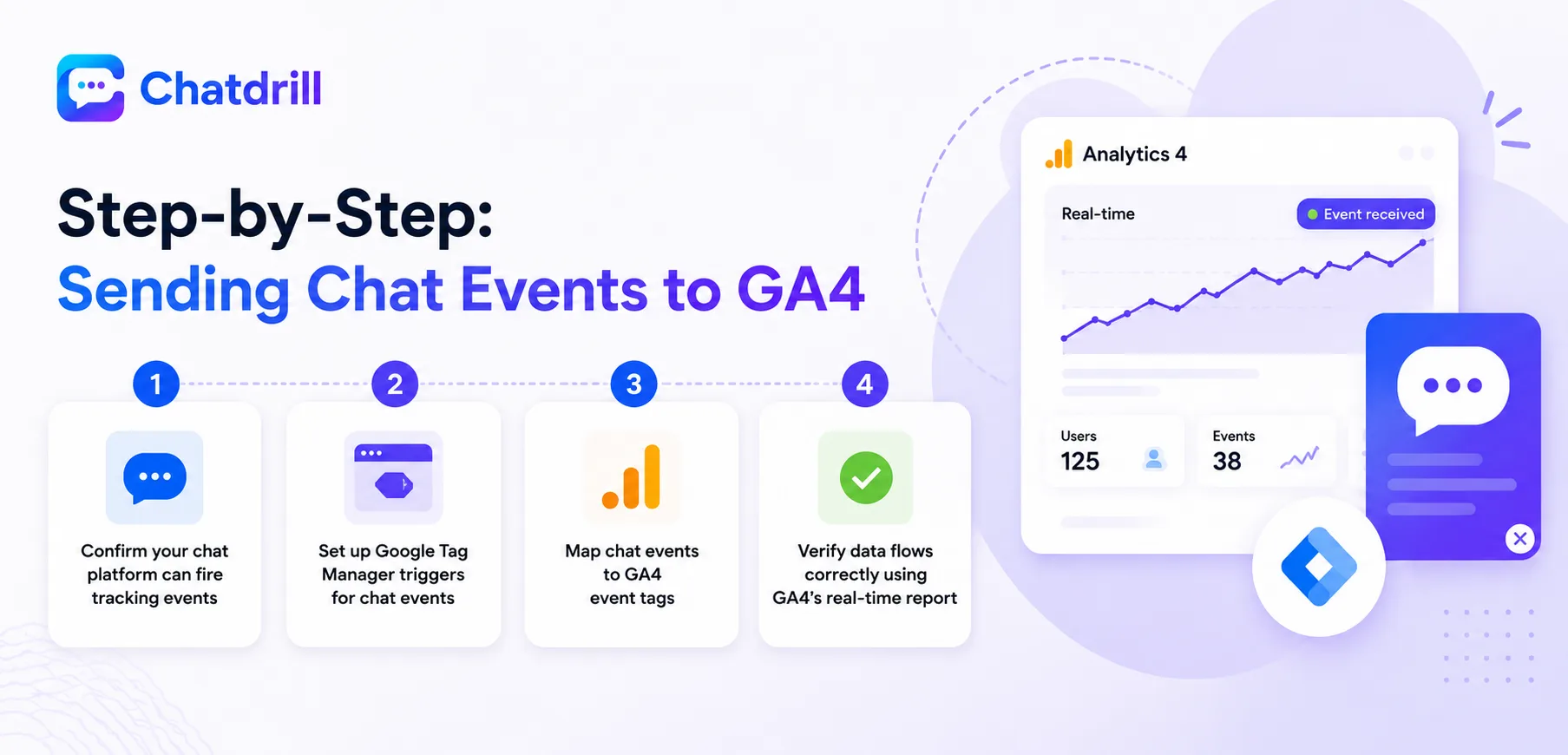
Sending chat events to GA4 typically involves confirming your chat platform's event-firing capability, connecting through Google Tag Manager, mapping chat events to GA4 event names, and verifying data flows correctly using GA4's real-time report.
Step 1: Confirm your chat platform can fire tracking events
Check your live chat platform's documentation for its JavaScript event API, most modern platforms including ChatDrill expose events like conversation start, message sent, and lead captured for exactly this purpose.
Understanding what events are available before building the GA4 side of the setup ensures you're mapping to events that genuinely exist, rather than assuming a capability that isn't there.
Step 2: Set up Google Tag Manager triggers for chat events
In Google Tag Manager, create a custom event trigger that listens for the chat platform's JavaScript events, firing whenever the specified chat action occurs on the page.
This is typically configured as a Custom Event trigger type in Tag Manager, matching the exact event name your chat platform's documentation specifies.
Step 3: Map chat events to GA4 event tags
Create a corresponding GA4 Event tag in Tag Manager for each chat event, giving it a clear, consistent name, like chat_conversation_started, that will appear in GA4 reporting.
Following GA4's recommended event-naming conventions here, lowercase with underscores, keeps the events consistent with GA4's own built-in events and easier to work with in reports later.
Step 4: Verify data flows correctly using GA4's real-time report
Trigger a test chat conversation on your live site and confirm the corresponding events appear in GA4's real-time report within a few minutes.
This verification step is essential before considering the setup complete, since a tag that looks correctly configured in Tag Manager can still fail silently without this direct confirmation.
Which Chat Events Are Worth Tracking
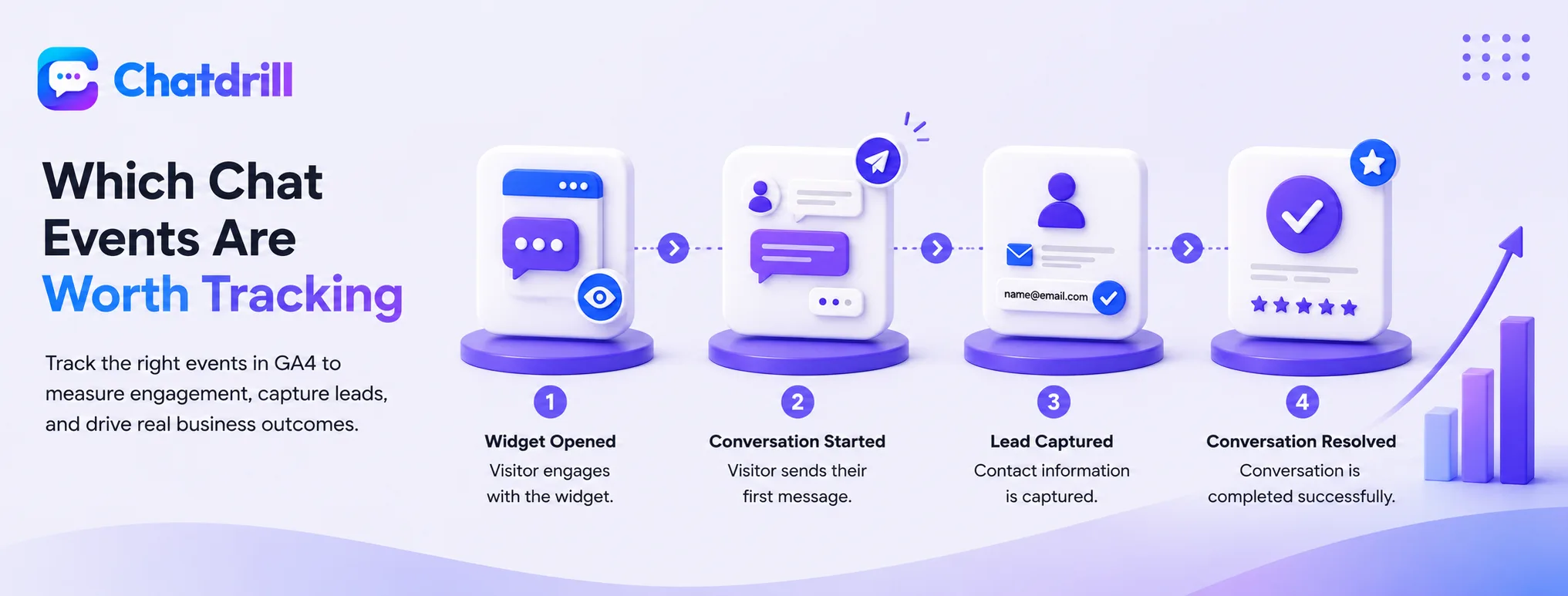
The chat events most worth tracking in GA4 are widget opened, conversation started, lead captured, and conversation resolved, since together they map the full funnel from initial engagement to a meaningful business outcome.
Widget opened
This baseline event captures how many visitors even engage with the widget, a useful denominator for calculating what percentage of engaged visitors go on to start a real conversation.
Tracking this specifically also helps evaluate whether a proactive trigger is actually increasing engagement compared to a passive, click-to-open widget.
Conversation started
This event marks the point a visitor actually sends a first message, a more meaningful engagement signal than simply opening the widget without following through.
Comparing this event's volume against widget-opened volume reveals your widget's actual engagement rate, a useful benchmark for evaluating changes to greeting messages or triggers over time.
Lead captured
For a business using chat for lead generation, this event, firing when a visitor's contact information is captured through chat, is often the single most valuable one to track.
This is also the event most worth turning into a GA4 conversion, since it represents a genuine, trackable business outcome tied directly to chat.
Conversation resolved
Tracking resolution specifically helps distinguish a genuinely completed, useful conversation from one that was abandoned or never properly answered.
Comparing resolved-conversation volume against total conversations started gives a rough proxy for chat quality that complements the platform's own internal reporting.
Building Reports and Conversions From Chat Data
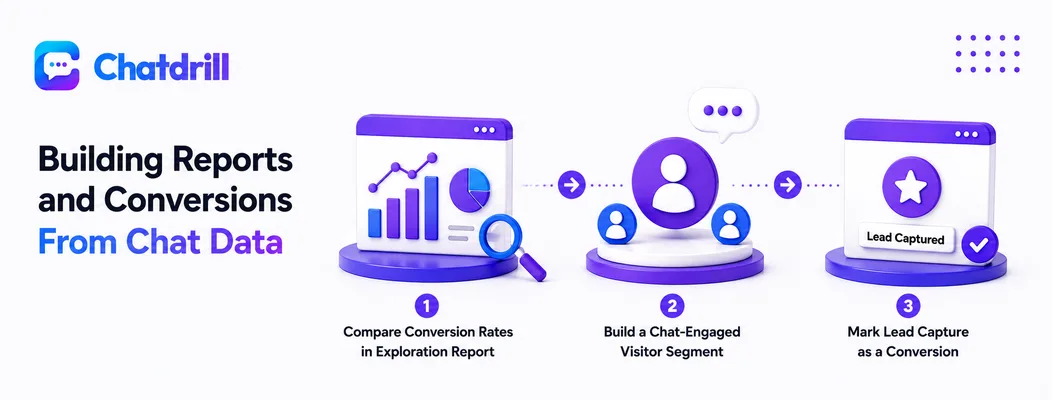
Once chat events flow into GA4, the most useful next steps are marking key events as conversions, building a chat-engaged visitor segment, and creating an exploration report comparing chat-engaged versus non-engaged conversion rates.
Marking lead capture as a GA4 conversion
In GA4's Admin settings, mark the lead-captured event as a conversion, which allows it to appear in standard conversion reports and campaign attribution alongside other business goals.
This single step is often what unlocks the clearest, most immediately useful reporting value from the whole chat-tracking setup.
Building a chat-engaged visitor segment
Create a GA4 audience or segment defined by having triggered the conversation-started event, letting you compare this group's broader behavior against your overall site traffic.
This segment becomes a powerful lens for other reports too, revealing which pages, campaigns, or devices bring in visitors most likely to actually engage with chat.
Comparing conversion rates in an exploration report
Using GA4's Explore section, build a comparison between chat-engaged and non-engaged visitors' conversion rates, which is typically the clearest single chart for demonstrating chat's business impact.
Sharing this specific comparison with stakeholders tends to be more persuasive than any chat-platform-native metric alone, since it ties directly to a metric the business already tracks and trusts.
Advanced: Attributing Revenue to Chat Conversations
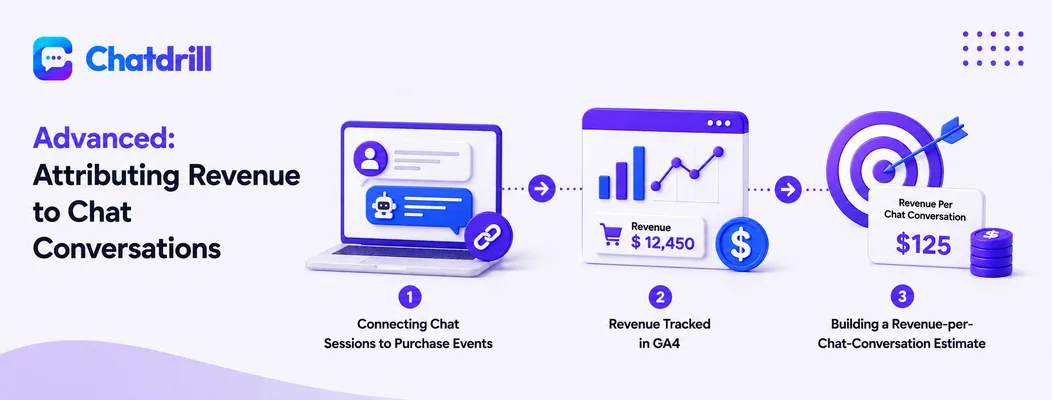
For ecommerce or SaaS businesses with revenue tracking already in GA4, connecting a chat-engaged session to eventual purchase or subscription revenue reveals chat's direct financial contribution, not just its conversion-rate correlation.
Connecting chat sessions to purchase events
If GA4 already tracks purchase events with revenue data, a chat-engaged session can be cross-referenced against later purchase events within the same user journey to estimate chat's revenue contribution.
This requires GA4's user-ID or cross-session tracking to be properly configured, since the purchase may happen in a later session than the original chat conversation.
Building a revenue-per-chat-conversation estimate
Dividing total revenue from chat-engaged sessions by the number of chat conversations gives a rough revenue-per-conversation figure, useful for justifying chat platform investment in concrete financial terms.
This figure should be treated as directional rather than precise, since attribution across multiple touchpoints is inherently approximate, but it's still far more useful than no revenue tie-in at all.