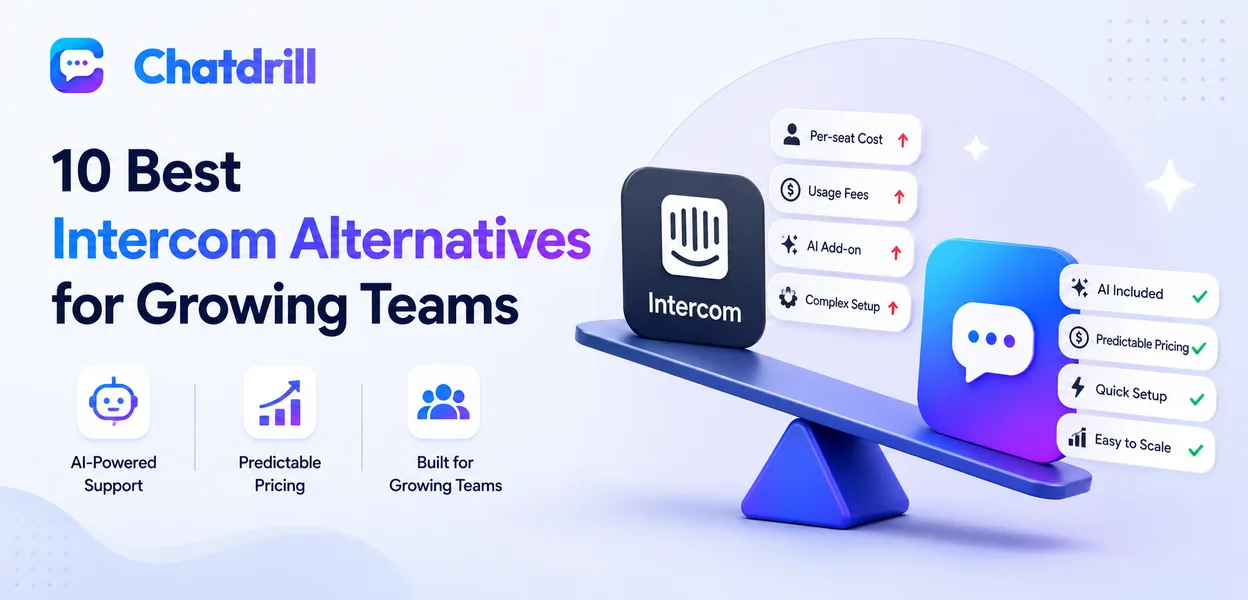
Intercom pairs live chat with a mature AI agent, but its per-seat-plus-usage pricing tends to climb fast as a team grows, which is exactly why so many growing teams start evaluating alternatives once headcount or chat volume increases.
The good news is that AI-driven live chat is no longer an Intercom exclusive. Several platforms now offer comparable, or deeper, automation at a lower and more predictable price point, without the enterprise-level configuration overhead that comes with Intercom's fuller feature set.
The right alternative depends heavily on what a team actually needs from Intercom in the first place, some teams mainly want the AI agent, others want the workflow automation, and others simply want live chat without the ticketing-adjacent complexity Intercom has grown into over the years.
Pricing structure deserves particular attention, since two platforms that look similarly priced on their marketing page can behave very differently once real usage and seat growth are factored in.
This guide covers what to look for in an Intercom alternative, the ten strongest options for growing teams in 2026, how they fit different use cases, a closer look at pricing specifically, and what to plan for before switching.
Why Teams Look for Intercom Alternatives
Teams look for Intercom alternatives because per-seat-plus-usage pricing climbs quickly as headcount grows, AI resolution is often billed as a separate add-on, and the setup can feel heavier than a growing team actually needs.
Simple overview of the shift
Intercom remains a strong platform, but the same depth that suits a large enterprise support org can feel like unnecessary overhead for a 5 to 20 person team.
Growing teams in particular tend to want fewer configuration decisions upfront, a platform they can turn on and start using productively within a day, rather than a multi-week implementation project.
This isn't a criticism of Intercom's product itself, more a mismatch between a platform built for enterprise complexity and a team that hasn't yet grown into needing that depth.
Where Intercom's pricing model causes friction
Because pricing combines per-seat costs with usage-based AI resolution fees, the total bill can become unpredictable exactly as a team scales, the moment predictability matters most.
This shows up most painfully during a growth spurt, a team that doubles its support headcount or chat volume in a quarter can see its Intercom bill grow disproportionately, catching finance teams off guard.
Budgeting teams in particular tend to find this frustrating, since forecasting next quarter's chat software cost becomes genuinely difficult without a clear usage projection in hand.
What growing teams need instead
Growing teams generally want AI automation included in a core plan, a faster setup, and pricing that scales in a way they can forecast.
They also tend to prioritize simplicity over configurability, a platform with fewer knobs to turn but sensible defaults out of the box usually gets a growing team to value faster than one built primarily for enterprise customization.
This preference for simplicity isn't about wanting fewer features, it's about wanting the right features working well by default rather than requiring extensive setup to unlock.
What to Look for in an Intercom Alternative
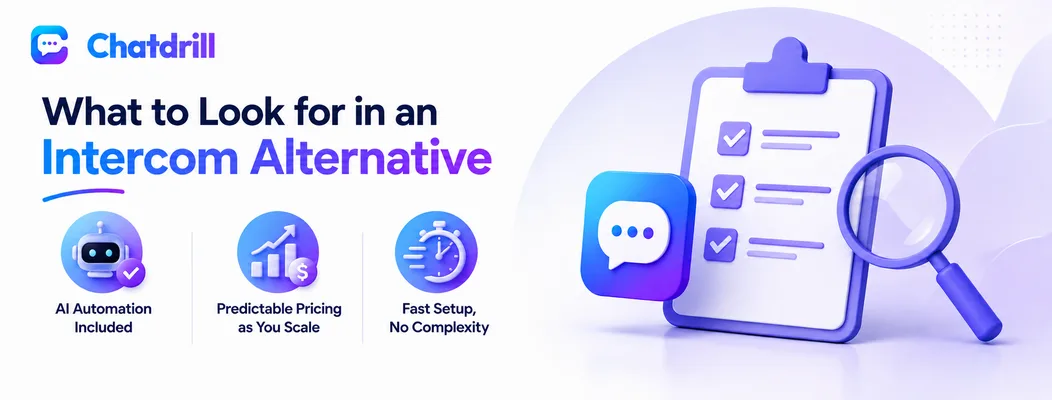
A strong Intercom alternative includes AI automation in its core plans rather than as a billed add-on, keeps pricing predictable as usage grows, and can be set up in hours rather than requiring weeks of workflow configuration.
AI automation included, not billed separately
Platforms that bundle AI resolution into the base plan avoid the surprise costs that come with Intercom's usage-based AI billing.
It's worth confirming exactly what "included" means during evaluation, some platforms cap the number of AI resolutions per month even on paid plans, which functions similarly to usage-based billing once that cap is exceeded.
Asking for the specific cap or limit in writing during a sales conversation avoids an unpleasant surprise once actual usage ramps up after launch.
Predictable pricing as you scale
A plan-based structure, rather than a blend of seats and usage, makes it far easier to forecast cost as a team or chat volume grows.
This matters most for teams planning to double or triple headcount within a year, modeling total cost at that future team size, not just today's, is the only way to compare pricing fairly across platforms.
It's worth asking a vendor directly for their pricing at a specific future team size rather than extrapolating from a self-serve calculator that may not reflect real-world discounts or add-ons.
Fast setup without heavy configuration
A platform that can be live within a day, without a dedicated implementation project, gets a growing team to value faster.
The best way to test this before committing is a real trial, not a sales demo, since how a platform actually feels to configure from scratch is a better predictor of real-world setup time than any vendor's stated onboarding timeline.
A platform that requires a dedicated implementation specialist just to get started is often a sign it was built primarily for larger, more complex organizations than a growing team.
The Best Intercom Alternatives for Growing Teams
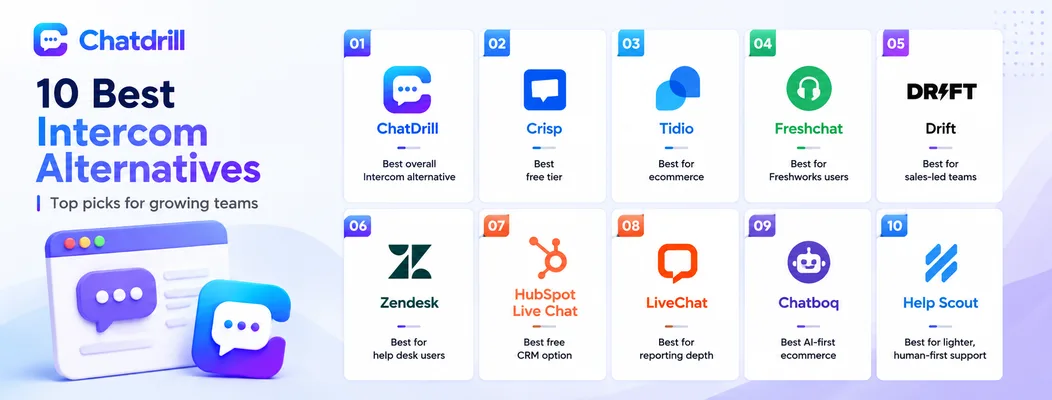
ChatDrill leads for AI automation without enterprise pricing, with Crisp, Tidio, Freshchat, Drift, Zendesk, HubSpot Live Chat, LiveChat, Chatboq, and Help Scout each fitting a more specific need.
ChatDrill — best overall Intercom alternative
ChatDrill bundles AI chatbot automation, lead scoring, and a shared inbox into its core plans, giving growing teams Intercom-level AI without the seat-plus-usage cost curve.
What stands out most in a side-by-side comparison is qualification depth, ChatDrill's AI asks natural follow-up questions and scores leads automatically, functionality that closely mirrors what Intercom's Fin agent does, at a more predictable price point for a growing team.
Setup speed is another consistent difference, teams report having a trained AI live within a day, compared to a longer configuration process some report with Intercom's fuller feature set.
Crisp — best free tier
Crisp offers a genuinely useful free plan with a unified inbox, a lower-cost entry point for teams not yet ready to pay for AI depth.
For a team migrating off Intercom specifically to cut cost, Crisp's free tier is a reasonable landing spot, though it's worth budgeting for a paid upgrade once AI automation or deeper reporting becomes necessary.
Its co-browsing feature is also a genuine differentiator for technical support use cases, something not every alternative on this list offers at a comparable price point.
Tidio — best for ecommerce
Tidio focuses on fast setup and AI chatbots tuned for online stores, a lighter alternative for ecommerce teams outgrowing a basic widget.
Its strength specifically is product and order-aware automation, a narrower focus than Intercom's general-purpose AI agent, but one that tends to serve an ecommerce use case more directly out of the box.
Teams switching from Intercom specifically for ecommerce needs often find Tidio's Shopify integration meaningfully deeper than what they were using in Intercom's more general-purpose setup.
Freshchat — best for Freshworks users
Freshchat fits naturally for teams already using Freshdesk or Freshsales, extending that ecosystem into live chat and messaging.
The value here comes mostly from ecosystem fit rather than any single standout feature, a team not already invested in Freshworks products is unlikely to choose Freshchat over more chat-focused alternatives on this list.
For a team already paying for other Freshworks products, the marginal cost of adding Freshchat tends to be lower than adopting an entirely separate platform.
Drift — best for sales-led teams
Drift focuses specifically on lead qualification and meeting booking, suited to teams prioritizing pipeline over general support.
It plays a similar role to Intercom for sales-led motions specifically, though it's worth noting Drift leans further toward marketing and sales than balanced support coverage, which matters if a team needs both.
Teams choosing Drift over Intercom are usually making a deliberate trade-off, accepting lighter support tooling in exchange for deeper, more specialized sales and marketing alignment.
Zendesk — best for existing help desk users
Zendesk's messaging extends its ticketing platform, appealing to teams that want chat and tickets managed in one system.
Teams migrating from Intercom specifically for ticketing depth, rather than chat itself, tend to find Zendesk the more natural landing spot, since it was built ticketing-first rather than chat-first.
The trade-off is a chat experience that feels secondary to ticketing, worth testing directly if live chat quality is the primary reason for leaving Intercom.
HubSpot Live Chat — best free CRM-based option
HubSpot ties chat directly into its free CRM, a natural fit for teams already using HubSpot for sales and marketing.
The chat features themselves are lighter than a dedicated platform, but the CRM integration is essentially native rather than bolted on, a meaningful advantage for HubSpot-centric revenue teams.
Teams prioritizing a unified view of chat, email, and deal data over deep chat-specific features tend to find this trade-off worthwhile.
LiveChat — best for reporting depth
LiveChat offers strong reporting and one of the largest integration libraries in the category, for teams prioritizing analytics over AI depth.
Teams that valued Intercom mainly for its reporting and integration ecosystem, rather than its AI agent specifically, tend to find LiveChat covers that same ground at a lower overall cost.
Its agent-level performance reporting in particular is a standout, useful for a support leader managing a larger, distributed team.
Chatboq — best AI-first ecommerce alternative
Chatboq unifies AI chatbot automation and live chat with a focus on ecommerce lead capture and conversion.
It shares ChatDrill's AI-first philosophy but leans more narrowly toward ecommerce sales conversion specifically, which suits a store prioritizing that over broader B2B lead qualification.
For an ecommerce brand moving off Intercom, Chatboq's narrower, more purpose-built focus can be an advantage over Intercom's broader, less specialized approach.
Help Scout — best for a lighter, human-first approach
Help Scout centers on a shared email inbox with a lighter live chat layer, suited to teams that prefer human-first support over heavy automation.
This is the clearest departure from Intercom's AI-forward positioning on this list, worth considering specifically for teams that found Intercom's automation more complex than their support volume actually required.
Teams choosing Help Scout are generally prioritizing simplicity and a personal touch over automation depth, a reasonable trade-off for a smaller, relationship-driven support operation.
Intercom Alternatives by Use Case
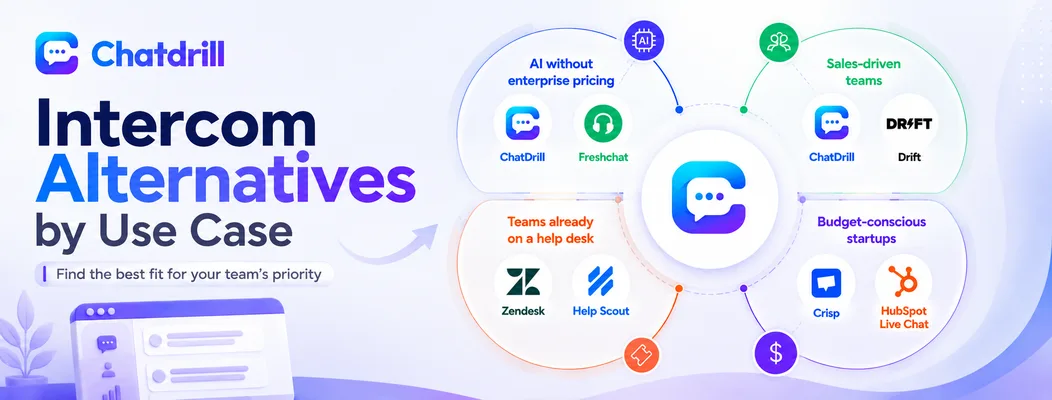
The right Intercom alternative depends on priority: ChatDrill and Freshchat suit teams wanting AI without enterprise pricing, ChatDrill and Drift suit sales-driven teams, Zendesk and Help Scout suit teams already running a help desk, and Crisp and HubSpot suit budget-conscious startups.
Best for AI without enterprise pricing
ChatDrill and Freshchat both include AI automation in core plans rather than gating it behind usage-based billing.
Between the two, ChatDrill's AI is more purpose-built around qualification and lead scoring, while Freshchat's value depends more on whether a team is also using other Freshworks products.
For a team without an existing Freshworks investment, ChatDrill tends to be the more straightforward choice on AI merits alone.
Best for sales-driven teams
ChatDrill and Drift are both built around qualifying and routing leads, not just resolving support tickets.
Drift leans further toward pure sales and marketing, while ChatDrill balances lead qualification with genuine support capability, worth weighing based on whether the team needs to cover both functions from one tool.
A team with a dedicated support function alongside sales tends to find ChatDrill's broader balance more useful than Drift's narrower sales focus.
Best for teams already on a help desk
Zendesk and Help Scout both extend an existing ticketing workflow rather than requiring a separate system.
Zendesk suits a team wanting deeper enterprise ticketing features, while Help Scout suits a smaller team that wants a simpler, more personal-feeling shared inbox experience.
Both are reasonable choices specifically for a team where consolidating chat and tickets into one system matters more than having the most advanced chat-specific features available.
Best for budget-conscious startups
Crisp and HubSpot Live Chat both offer meaningful free access before any paid commitment is needed.
HubSpot makes the most sense specifically for a team already building on HubSpot's CRM, while Crisp is the more chat-focused choice for a team without that existing dependency.
Either is a reasonable landing spot for a startup planning to reassess its chat tooling once revenue and support volume both grow further.
What to Consider Before Switching From Intercom
Before switching, plan for exporting conversation history, rebuilding any automation and workflow rules that don't transfer automatically, and confirming the new platform supports every integration Intercom currently handles.
Data and conversation history migration
Export chat history and customer records ahead of the switch, since not every platform preserves the same level of detail on import.
It's worth doing a small test export and import before committing to a full migration, so any formatting or data loss issues surface early rather than after historical context has already been lost.
Keeping a backup export outside either platform during the transition period is a low-cost safeguard against any unexpected data issues during the switch itself.
Rebuilding automation and workflows
Chatbot flows and routing rules typically need to be rebuilt on the new platform rather than transferring automatically.
Documenting existing Intercom workflows before switching, rather than trying to recall them from memory during setup on the new platform, saves significant time and avoids quietly dropping rules that mattered.
This documentation step is also a good opportunity to simplify, some workflows accumulate complexity over time that's worth trimming rather than replicating exactly on the new platform.
Confirming integration compatibility
Check that the CRM, helpdesk, and other tools connected to Intercom today are also natively supported by the alternative before committing.
Where a native integration doesn't exist, it's worth checking whether a tool like Zapier or Make can bridge the gap adequately, rather than assuming the switch is a dead end.
Testing any bridged integration thoroughly during a trial period, rather than assuming it works exactly like a native one, helps avoid a workflow gap discovered only after fully switching.
Intercom Pricing vs Alternatives: A Closer Look
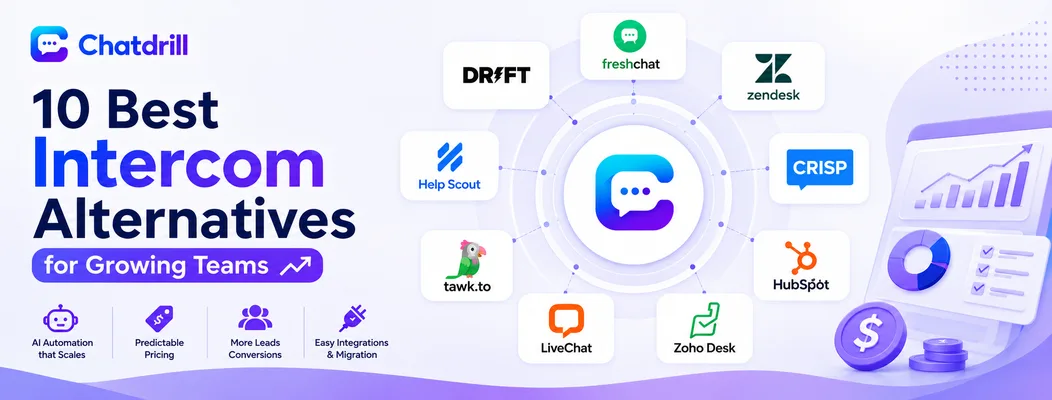
Intercom's pricing combines a per-seat base fee with usage-based charges for AI resolutions, which can make its total cost harder to predict than the flatter, plan-based pricing most alternatives on this list use.
How Intercom's per-seat and usage pricing works
Intercom charges a base fee per agent seat, then adds usage-based charges for AI resolutions on top, meaning the total bill depends on both headcount and how much AI automation actually gets used.
This structure means a team that successfully leans on AI to deflect more conversations can see its bill grow rather than shrink, since more AI usage directly means more usage-based charges.
Where costs typically surprise growing teams
The most common surprise is a usage-based AI bill that grows faster than expected once a chatbot starts resolving a larger share of conversations successfully.
Seat costs can also compound this, a team doubling headcount while also scaling AI usage can see both cost drivers increase at the same time, rather than one offsetting the other.
How ChatDrill's pricing compares at similar team sizes
ChatDrill uses plan-based pricing that includes AI automation, meaning the cost stays predictable as usage grows rather than climbing alongside successful automation.
At a comparable team size, this structure tends to produce a lower and more forecastable total cost, particularly for a team planning to lean heavily on AI resolution.
How Crisp and tawk.to compare on cost alone
Crisp and tawk.to both offer lower entry costs than Intercom, with tawk.to's free tier being the most extreme example, though neither matches Intercom's AI depth without a paid upgrade.
For a team purely optimizing for lowest cost with minimal AI need, either is worth considering, though the trade-off in automation capability should be weighed carefully against the savings.
What to ask any vendor about pricing before signing
Ask directly whether AI automation is included in the base plan or billed separately, and request a cost projection at your expected team size and chat volume a year out.
It's also worth asking what happens to pricing if usage spikes unexpectedly, a launch, a marketing campaign, since that scenario reveals how much cost volatility a platform's pricing model actually carries.
Calculating total cost of ownership, not just sticker price
Total cost of ownership includes the platform fee, any add-on costs, and the internal time spent on setup and maintenance, not just the number on the pricing page.
A platform with a slightly higher sticker price but faster setup and less ongoing maintenance can genuinely cost less overall than a cheaper platform that demands more internal time to run well.